You list the same place on Airbnb and Booking.com, maybe a third site too, and you're updating calendars by hand. A channel manager for vacation rentals is the software that takes over that job: it keeps availability in step across every platform where you sell nights, so one booking closes those dates everywhere else.
Your first action today: write down, per unit, every platform you list on and how each one currently learns about bookings from the others. That list tells you what you actually need from a tool.
What does a channel manager for vacation rentals actually do?
A channel manager connects your listings on several booking platforms to one calendar, then passes bookings and blocked dates between them so the same nights can't be sold twice.
Depending on the tool and the connection type, it can also carry rates, restrictions, guest details and messages. Many products also bundle a PMS (tasks, invoicing, owner reports) and a booking engine for your own site. The core job stays the same: one source of truth for availability.
What it can't do is make the platforms react instantly if the connection doesn't allow it. That depends on how the tool talks to each channel.
Is a channel manager with API better than one that uses iCal?
An API connection lets the platform and the tool exchange bookings, rates and details directly, while iCal only shares busy dates in a calendar file that each side fetches on its own schedule.
iCal is the open calendar format defined in RFC 5545. With iCal, nothing is pushed. When a guest books on one platform, that platform updates its file, and the others see the change only when they next fetch it. The platforms publish their own fetch schedules: Airbnb says your calendar "automatically updates every 3 hours" from connected calendars, and Booking.com says it imports connected calendars every two hours and that this isn't real time. Both offer a manual refresh.
That matters because no iCal-based tool, however often it checks, can make Airbnb or Booking.com fetch sooner. A booking made in the tool's own engine can reach the tool's calendar at once, but an OTA still picks it up on its own cycle. For a deeper walkthrough, see how an iCal channel manager works.
| Question | iCal connection | API connection |
|---|---|---|
| What's shared | Busy and free dates | Depending on the integration: bookings, rates, restrictions, guest details |
| Who controls timing | Each platform's fetch schedule | Usually closer to real time, per vendor |
| Setup | Paste links both ways | Authorize the tool inside the platform |
| Rates and minimum stays | Set separately on each platform | Can often be managed from the tool |
| Platform approval needed | No | Yes, the vendor must be a connected partner |
API isn't automatically the right answer. Check two things first. Airbnb says its single-fee structure (hosts pay the whole service fee, 15.5% for most) is mandatory for hosts using property management software, so ask how that applies to your listings before connecting. And an API tool usually costs more and asks more of your setup.
Our recommendation: if the gap between a booking and your other calendars closing is short compared with how fast your dates sell, iCal is often enough. If you sell high-demand dates quickly on several channels, or want to manage rates centrally, an API connection is worth paying for.
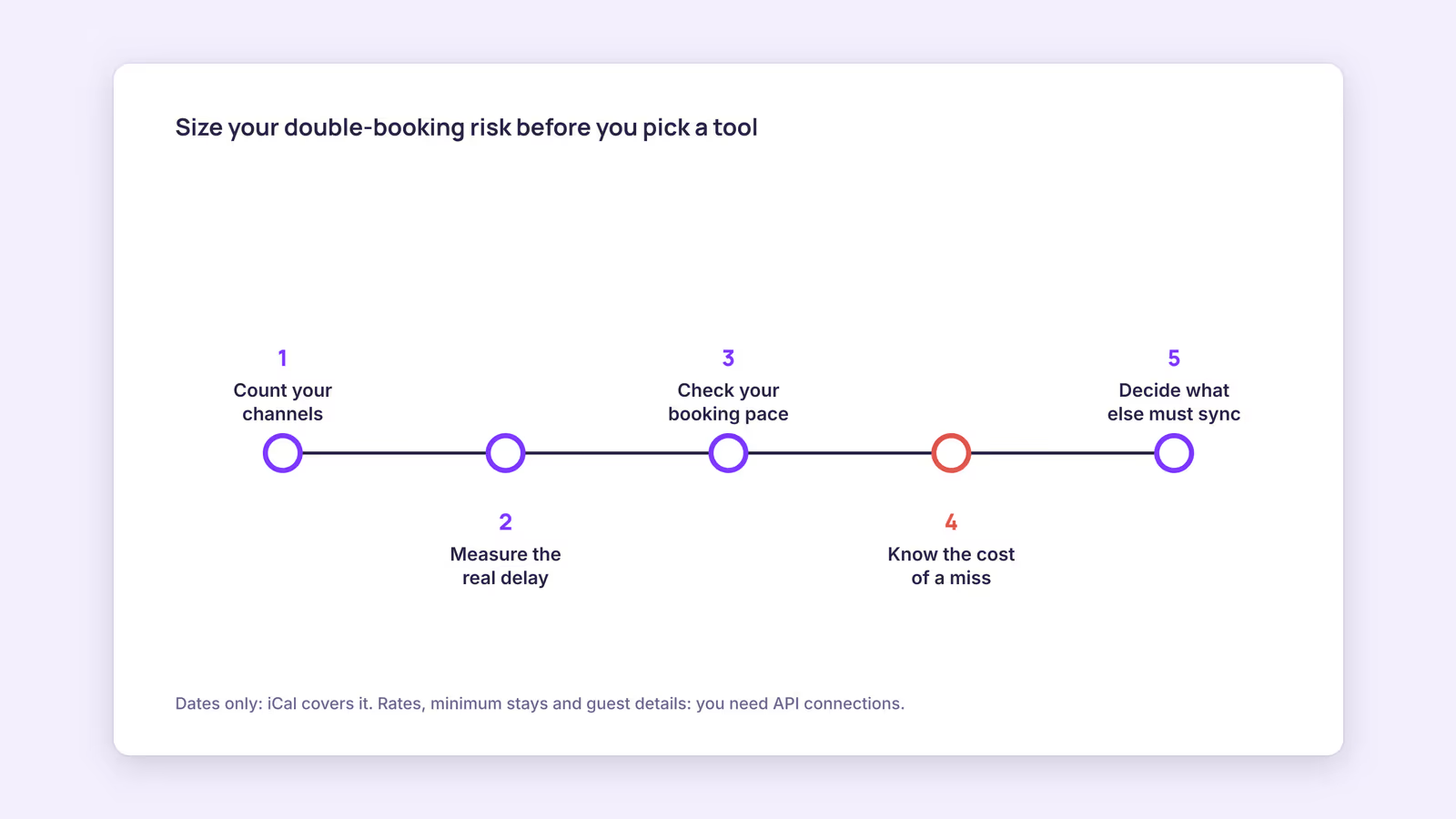
How do you size up your double-booking risk before choosing channel manager software?
Estimate your exposure window, which is the longest time a new booking can stay sellable on another platform, then compare it with how quickly your nights actually get booked.
Use this checklist per unit:
- Count your channels. Two platforms plus a direct site means links in both directions for each pair, and mapping mistakes rise with every link.
- Measure the real delay. Block a far-future night on one platform, note the time, and check the others every 15 minutes without refreshing manually. The slowest one is your window.
- Check your booking pace. Look at last peak season. If nights often sold within hours of opening, a window of a couple of hours is a real risk. If they sold over days, it's small.
- Know the cost of a miss. On Booking.com, if you overbook, you must relocate the guest to equal or better accommodation and cover the costs, including transport. Canceling on Airbnb can bring host cancellation fees and a blocked calendar.
- Decide what else must sync. If you only need dates, iCal covers it. If you want rates, minimum stays and guest details managed in one place, you need API connections for those channels.
Consider a hypothetical host with two apartments on Airbnb and Booking.com. The test shows a delay of up to three hours, and peak-season nights usually go a week or more ahead. The window is small compared with the pace, so an iCal-based tool fits. A host whose summer weekends sell within minutes on three channels faces a different picture and should shortlist API tools.
You can also run your feeds through the free iCal feed checker to catch duplicate events, overlaps and missing fields before they cause a clash.
Channel manager vs booking engine: which one do you need?
A channel manager keeps availability in step across platforms, while a booking engine takes reservations and payments on your own website; many hosts want both on one calendar.
A booking engine on its own doesn't stop double bookings between Airbnb and Booking.com. A channel manager without an engine leaves direct guests emailing you. If you plan to take direct bookings, pick a tool where direct reservations land on the same calendar as OTA ones, and remember that a booking widget doesn't bring traffic; you still have to send guests to it. If you're weighing a bigger system, our channel manager vs PMS breakdown covers where the line sits, and the comparison hub lays out how specific tools differ.
When you compare vendors, ask these questions and get the answers in writing:
- Which of my channels do you connect by API, and which by iCal?
- What data syncs on each connection: dates only, or rates and restrictions too?
- How do you price: per unit, per channel, per booking, or flat?
- What happens to future bookings if I cancel or switch tools?
- Is there a free trial long enough to run the sync test above?
When this advice does not apply
If you list on only one platform and take no direct bookings, you don't need calendar sync at all. Hotels and multi-room properties selling room types rather than whole units have different needs, usually met by hotel-focused channel managers with inventory counts. Platform fetch schedules and fee rules change, so recheck the linked help pages before a decision that depends on them.
What to do next
- List every unit, every channel, and every calendar link between them.
- Run the far-future block test and write down the slowest delay.
- Compare that delay with last peak season's booking pace.
- Decide whether you need dates only (iCal) or rates and guest data too (API).
- Shortlist two or three tools and repeat the sync test during each free trial.
FAQ
How do you connect a channel manager to Airbnb?
With iCal, copy the listing's export link from Airbnb's calendar availability settings into the tool, then paste the tool's export link into Airbnb's import field. With an API tool, you authorize the connection from inside the tool.
Will a channel manager prevent all double bookings?
No. It cuts the risk, but iCal delays, manual blocks made in the wrong place, and wrongly mapped links can still cause clashes. Test the setup and recheck it after any listing change.
Do I need a channel manager with only one property?
If that property is on two or more platforms, yes, some form of sync is needed. For one unit, the platforms' own iCal import and export can work, but a tool gives you one calendar to check.
BookBed runs two-way iCal sync with Airbnb and Booking.com, so bookings from either platform and from your direct widget land on one calendar. It uses iCal rather than direct APIs, so each OTA still fetches on its own schedule. See BookBed pricing
Sources
- IETF, "RFC 5545: Internet Calendaring and Scheduling Core Object Specification (iCalendar)" — Verified 2026-09-30
- Airbnb, "Sync your home host calendar to other websites" — Verified 2026-09-30
- Booking.com, "Updating your availability calendar in the extranet" — Verified 2026-09-30
- Airbnb, "Airbnb service fees" — Verified 2026-09-30
- Booking.com, "Handling overbookings" — Verified 2026-09-30