Your listing is live, the reviews are decent, and views have gone flat. Before you rewrite the title for the fifth time, check what Airbnb itself says about ranking. Airbnb SEO isn't a secret keyword game: Airbnb publishes the factors its algorithm weighs, and several of them sit in settings you can change today.
Your first action: open your listing stats, note this month's views, and pick one factor from the diagnostic table below to change. Change one thing at a time so you can tell what moved.
How does Airbnb SEO work, and what does the ranking algorithm weigh?
Airbnb says its algorithm orders results mainly by listing quality, popularity, price, and location, while mixing in variety so guests see different hosts, characteristics, and price points on the same page.
Here's what each factor covers, according to Airbnb's How search results work page:
- Quality: photos and videos, ratings and reviews, host–guest communication on the platform, listing characteristics, customer service and cancellation information, and amenities.
- Popularity: how guests engage with the listing, such as saving it to a wishlist, booking it, and messaging the host.
- Price: the total price and how it compares with similar listings nearby for the same dates. Listings priced below comparable ones tend to rank higher.
- Location: places guests like to stay, such as spots near popular landmarks, tend to rank higher.
Two more things shape what any single guest sees. Guests filter by type, price, amenities, and booking options, and Airbnb personalizes results based on each guest's past activity. That means there's no single "rank" for your listing. The same place can sit high for one searcher and low for another.
Airbnb also notes that new listings are designed to show up well in search, usually within 24 hours, and that its ranking algorithms change over time. Treat any tactic that claims to game a fixed formula with suspicion.
How to rank higher on Airbnb: which factors can you control?
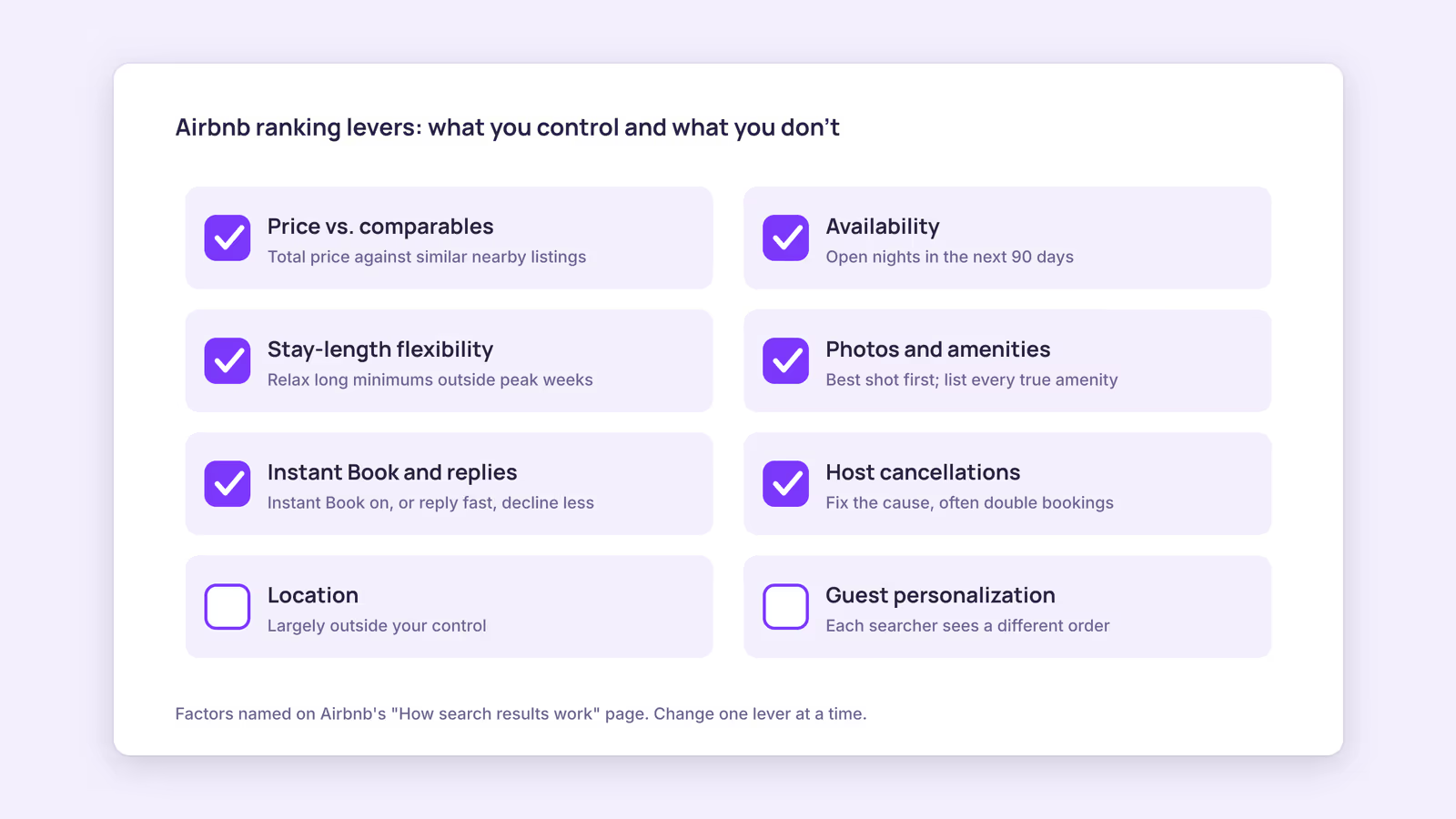
You can directly control price, availability, stay-length flexibility, photos and description, amenities listed, response speed, and cancellations; location and guest personalization are largely outside your hands.
Use this table to find your weakest point. The "check" column is something you can look at in under ten minutes.
| Factor Airbnb names | Quick check | What to change first |
|---|---|---|
| Price vs. comparable listings | Search your own dates as a guest and compare total prices for similar capacity | Test a lower price or a discount on slow dates |
| Availability | Count open nights in the next 90 days | Open blocked dates you don't really need |
| Stay-length flexibility | Look at your minimum and maximum stay settings | Relax a long minimum stay outside peak weeks |
| Photos and video | Is the first photo the best room or view? | Reorder photos; retake dark or cluttered shots |
| Description and amenities | Are sought-after features (crib, hot tub, step-free entrance, pets) listed if you have them? | Add every true amenity; fill the description |
| Instant Book | Is it on? | Turn it on with guest requirements |
| Responsiveness (request-to-book listings) | How fast do you reply, and how often do you decline? | Reply faster; decline less |
| Host cancellations | Any in the last year? | Fix the cause, usually calendar gaps |
Airbnb lists availability and stay-length flexibility as host levers: the more dates open and the more flexible the stay length, the more searches your listing can match. Our recommendation: fix availability and price before you spend money on new photos, since both are quick to test.
For the media row, see our guides to vacation rental photography and writing an Airbnb listing description.
A note on Airbnb SEO keywords
Airbnb's page doesn't list title keywords as a ranking factor. It does say amenities and characteristics help a listing appear when guests filter for them. This suggests accurate amenity checkboxes matter more than stuffing words into the title. Write a title that tells a guest why to click, not one aimed at the algorithm.
How do Instant Book and response time affect visibility on Airbnb?
Airbnb says it considers Superhost criteria, including host cancellations, responsiveness, and ratings, and that instantly bookable listings may rank higher because bookings confirm without the host accepting each request.
For listings that aren't instantly bookable, the algorithm looks at how quickly you respond to inquiries and how often you reject requests to book. The Instant Book help page adds that guests can filter for instantly bookable homes and that Instant Book positively affects your response rate, which can improve placement.
If Instant Book worries you, Airbnb lets you add guest requirements, such as positive reviews from other hosts. Airbnb doesn't publish a specific response-time target for ranking, so treat "reply fast" as the rule rather than a magic minute count. Automated replies can help with speed; our guide to automating guest messaging covers the options.
Why cancellations deserve extra care
Host cancellations appear in both the quality factor and the Superhost criteria Airbnb cites. Airbnb's host cancellation policy can also add fees and block your calendar for the cancelled dates. The most avoidable cause is a double booking across platforms. Airbnb's calendar sync page states that imported calendars update every 3 hours, so a booking made elsewhere can take time to reach Airbnb. Consider a hypothetical host listed on Airbnb and Booking.com: a same-day booking on one site can land before the other site has fetched the updated calendar. Blocking dates by hand the moment a booking lands closes that gap.
Does calendar activity or wishlist-baiting help your Airbnb search ranking?
Airbnb doesn't list "calendar updated recently" as a ranking factor, so block-and-unblock tricks have no documented basis; wishlist saves do count toward popularity, but they come from genuine guest interest.
Two common tips need correcting:
- "Update your calendar daily to look active." Airbnb's page names availability, not update frequency. Opening real dates helps; toggling a far-future night doesn't have documented support.
- "Ask guests to tap the heart." Wishlist saves are one popularity signal among several, alongside bookings and messages. A plea in your description is unlikely to outweigh price, photos, and reviews. Spend that line describing the space instead.
When this advice does not apply
- Experiences and services: location factors and some settings differ from homes.
- Brand-new listings: Airbnb says new listings get help showing up early, so a first-month view count isn't a reliable baseline.
- Personalized searches: checking your rank from your own account won't show what a stranger sees. Use listing views over several weeks instead.
- Heavy regulation or fixed pricing: if local rules or an owner agreement cap price or availability, focus on media, amenities, and response speed.
What to do next
- Record this month's listing views as your baseline.
- Run the diagnostic table and pick the single weakest row.
- Compare your total price with similar listings for two or three sample date ranges.
- Turn on Instant Book with guest requirements if it's off.
- If you list on other platforms, audit your calendar links with the iCal checker to cut double-booking risk.
FAQ
Why did my views drop even though nothing changed?
Results depend on price relative to nearby listings, dates, and guest personalization, so new competitors or seasonal pricing around you can shift placement. Recheck your price comparison and open nights first.
How do I get more views on Airbnb?
Start with price relative to similar listings and the number of open nights, since both are factors Airbnb names and both are quick to test. Better first photos and complete amenities come next.
Does changing my title improve my Airbnb search ranking?
Airbnb doesn't name the title as a ranking factor. A clearer title can raise clicks and engagement, which feed popularity, but it's not a direct lever.
About BookBed: If cancellations from double bookings are what's hurting your ranking, BookBed's two-way iCal sync with Airbnb and Booking.com keeps each unit's calendar links in one place. Airbnb still fetches imported calendars on its own schedule, so block peak dates by hand too. See plans
Sources
- Airbnb Help Center, "How search results work" — Verified 2026-09-30
- Airbnb Help Center, "How Instant Book works" — Verified 2026-09-30
- Airbnb Help Center, "Sync your home host calendar to other websites" — Verified 2026-09-30
- Airbnb Help Center, "Host Cancellation Policy for homes" — Verified 2026-09-30