A guest has just messaged that the air conditioning won't turn on, the Wi-Fi is down, or the bathroom wasn't clean. Your first action: reply in the Airbnb thread right now with an acknowledgment and one concrete next step, even if you don't have the fix yet. How you handle Airbnb guest complaints in the next hour shapes whether the guest asks Airbnb for a refund, and what they write in their review.
This guide covers what to say first, how Airbnb's own rules treat complaints, when a refund is worth offering, and what to do when a complaint is really a review threat.
How should you reply to an Airbnb guest complaint?
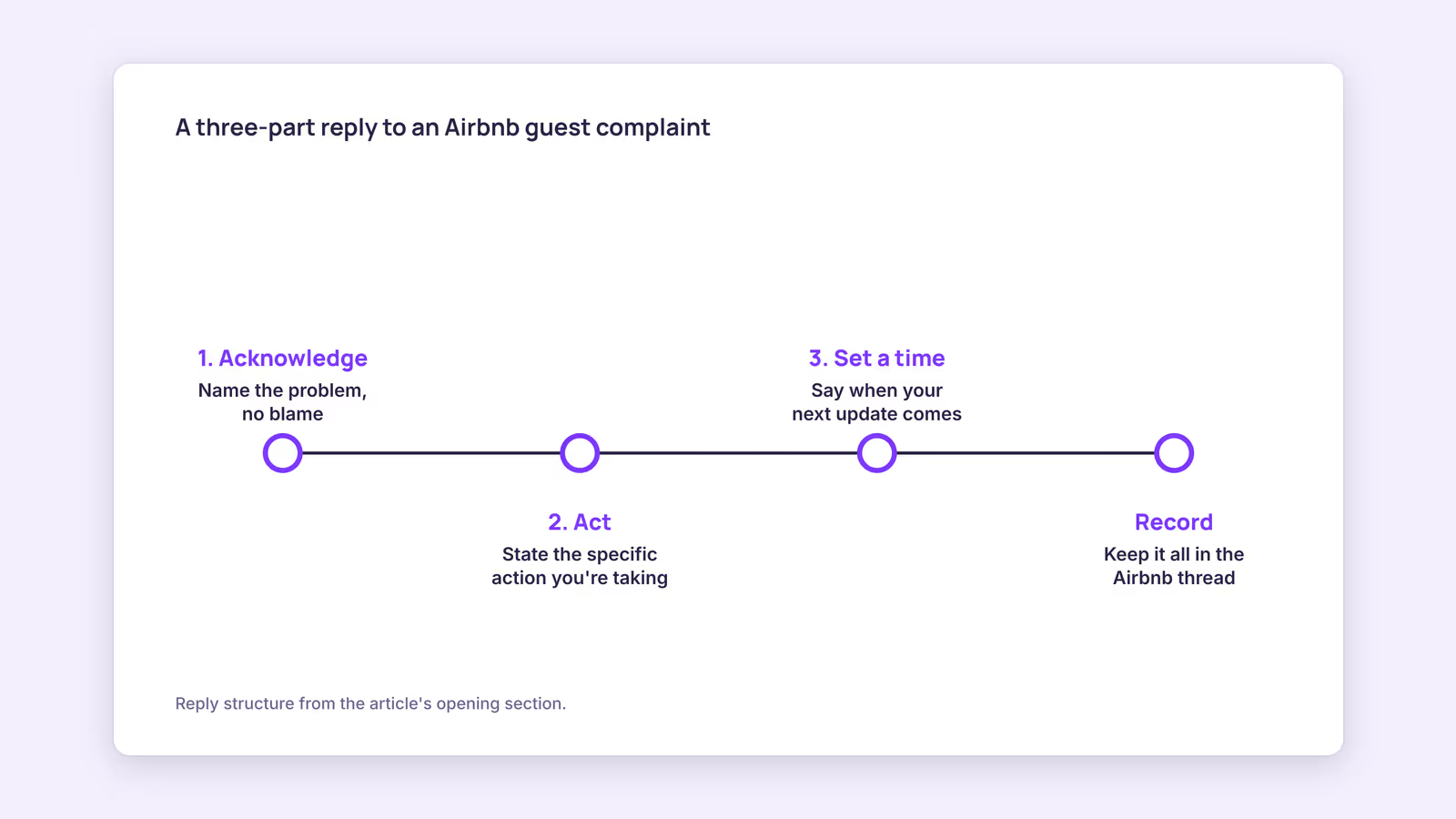
Reply fast in the Airbnb message thread with three parts: acknowledge the problem without blame, state the specific action you're taking, and give a time for your next update.
A reply that works for most problems looks like this:
"Thanks for telling me right away, and I'm sorry the AC isn't working. I'm calling our technician now and will message you with an arrival time within 20 minutes."
What this reply avoids matters as much as what it says. It doesn't question whether the guest pressed the right button, and it doesn't claim the unit worked fine yesterday. If you need to troubleshoot, ask one specific question ("Is the display on the wall unit lit?") after you've acknowledged the problem.
Keep everything inside Airbnb messaging. Airbnb's Off-Platform policy restricts moving guests off the platform, and the thread is also your record if the guest later disputes what happened. Photos from the guest and from your technician belong in that same thread.
For guidance on templates that go out before a problem starts, see our guide to automating guest messages.
How does Airbnb handle complaints from guests?
Airbnb's Rebooking and Refund Policy lets guests report certain "Reservation Issues" within 72 hours of discovery, and Airbnb can then refund part or all of the stay, reducing your payout.
Under the Rebooking and refund policy for homes, covered issues include a host failing to provide access, a place that isn't reasonably clean and sanitary or has safety hazards at check-in, and a listing that's significantly different than advertised. That last category explicitly includes an advertised special amenity that's missing or doesn't work, with examples such as a pool, hot tub, major appliance, heating, or air conditioning.
Three details in that policy matter for hosts:
- Airbnb says the refund amount depends on severity, impact on the guest, the portion of the stay affected, whether the guest leaves, and the strength of the evidence.
- The guest can contact Airbnb or you. Airbnb says it will generally try to confirm the concern with the host, and that you can dispute a guest's claim by contacting Airbnb.
- When the policy applies, it takes precedence over your cancellation policy, and your payout is reduced by whatever is refunded.
This suggests that a fast, documented response is your strongest position: it shortens the "portion of the stay affected" and puts the facts in writing.
Diagnostic table: what kind of complaint is this?
| Complaint type | Likely covered by Airbnb's policy? | Your first move | Refund worth considering? |
|---|---|---|---|
| Listed amenity broken (AC, heating, hot tub, major appliance) | Yes, named in the policy | Repair or workaround with a time | Yes, if the fix takes a meaningful part of the stay |
| Place not clean at check-in | Yes, "not reasonably clean and sanitary" | Send cleaner back or offer to fix now | Often, scaled to the delay |
| Can't get in (lock, code, keys) | Yes, "fails to provide access" | Phone call plus backup access method | Yes, if access was delayed significantly |
| Minor issue (weak shower, missing spare towels) | Usually not | Fix or replace, confirm afterward | Rarely needed |
| Noise from neighbors or the street | Depends on how the listing describes the location | Acknowledge, offer practical help (earplugs, a quieter room) | Case by case |
| Complaint tied to a demand ("refund or bad review") | Treated as a review-policy issue | Decline calmly, document, contact Airbnb | No |
When should you offer a refund, and how?
Offer a partial refund when a listed feature failed or the place wasn't ready and the problem took up a meaningful share of the stay; keep it proportionate and send it through Airbnb's Resolution Center.
The Resolution Center is where hosts and guests send or request money for a stay, including refunds both sides agree on, for example a missing or broken amenity. Requests can be made up to 60 days after checkout. Our recommendation: offer before the guest asks, and tie the amount to the impact rather than a round gesture.
A simple way to size it:
Partial refund = nightly rate × nights affected × share of the stay's value lost
Consider a hypothetical guest paying 150 per night whose air conditioning fails for one full night in summer heat. If you judge that night lost about half its value, the offer is 150 × 1 × 0.5 = 75. If the problem made a whole night unusable (no access, no water), the share might be 1.0. The inputs are your judgment; writing them down keeps the offer consistent across guests.
Don't attach a review to the refund. Airbnb's Reviews Policy says reviews may not be provided or withheld in exchange for something of value, like a refund or discount. "Here's a partial refund for the inconvenience" is fine; "here's a refund, hope you'll leave five stars" isn't.
For a deeper look at requests and disputes, read our Resolution Center guide.
What if a guest threatens a bad review for a refund?
Decline the unwarranted demand politely in the Airbnb thread, don't negotiate over the review, and report it to Airbnb, because its Reviews Policy prohibits threatening a negative review to get compensation.
The Reviews Policy says hosts and guests "may not threaten a negative review as a means to obtain unwarranted compensation, refund, or other incentive," and that reviews violating the policy may be removed. That's the core of how to report a bad guest on Airbnb in this situation: keep the message where the threat was made, then file a review dispute or contact Airbnb if a review appears.
A calm reply might read: "I'm sorry the stay didn't feel right. The issue you mentioned isn't something I can refund for, but I'm happy to help with anything else during your stay." Removal isn't guaranteed; Airbnb decides each case, and a review that honestly describes a real problem is unlikely to be treated as extortion.
If a negative review does publish, you can respond publicly. Airbnb's guidance on responding to reviews explains how. When you respond to a guest review, keep it short, factual, and aimed at future guests: what happened, what you did, and what's changed. Remember that under Airbnb's review timing rules, you and the guest have 14 days after checkout and reviews publish when both submit or the window closes, so writing yours in anger on day one isn't necessary.
If you're chasing Superhost status, our guide to becoming an Airbnb Superhost covers how reviews fit into it.
When this advice does not apply
- Safety emergencies (gas smell, fire, injury, break-in) come first: contact local emergency services first and worry about wording later.
- Damage caused by the guest is a different process from a guest complaint; it runs through the Resolution Center and Airbnb's damage process, not a refund offer.
- Hotels and some software-connected hosts have different Resolution Center rules, as Airbnb's help article notes.
- Local consumer law can give guests rights beyond Airbnb's policy, and Airbnb says its policy applies to the maximum extent the law allows.
What to do next
- Save a three-part reply template (acknowledge, action, next update time) in your Airbnb quick replies.
- Keep a contact list of your technician, cleaner, locksmith, and ISP with after-hours numbers.
- Write down your partial-refund formula so every offer is sized the same way.
- Add a backup access method (lockbox or second code) for every unit.
- Review your listing's amenity list and remove anything that isn't reliably working.
FAQ
How do you complain about an Airbnb guest?
For an Airbnb complaint about a guest, message the guest in the thread first if it's a rule or noise issue, then contact Airbnb through the Help Center with the reservation and evidence. For damage, use the Resolution Center; for review threats, report the messages.
What should you do about an Airbnb guest noise complaint?
If neighbors complain about your guest, message the guest promptly, quote the house rule on quiet hours, and ask them to lower the noise. Keep the exchange in the Airbnb thread and contact Airbnb if it continues.
Can a guest get a refund without your agreement?
Yes. Under Airbnb's Rebooking and Refund Policy, Airbnb can refund a guest for a covered Reservation Issue and reduce your payout accordingly, although you can dispute the claim by contacting Airbnb.
Catch problems earlier: BookBed Pro's automated guest messaging sends pre-arrival, mid-stay, and post-stay messages, so a mid-stay check-in can surface an issue before checkout. See BookBed Pro →
Sources
- Airbnb, "Rebooking and refund policy for homes" — Verified 2026-09-30
- Airbnb, "How the Resolution Center helps you" — Verified 2026-09-30
- Airbnb, "Airbnb's Reviews Policy" — Verified 2026-09-30
- Airbnb, "Off-Platform policy" — Verified 2026-09-30
- Airbnb, "Responding to a review" — Verified 2026-09-30