You send the same wifi password, door instructions and checkout time to every guest, usually from your phone, sometimes at midnight. Automated guest messaging fixes that: you write each message once, attach it to a trigger such as "two days before check-in," and the system fills in the guest's details and sends it on time.
Your first action today: open your last five conversations with guests and copy every question you answered more than once into a list. That list is your message schedule. Everything below turns it into templates and triggers.
What should automated guest messaging actually send?
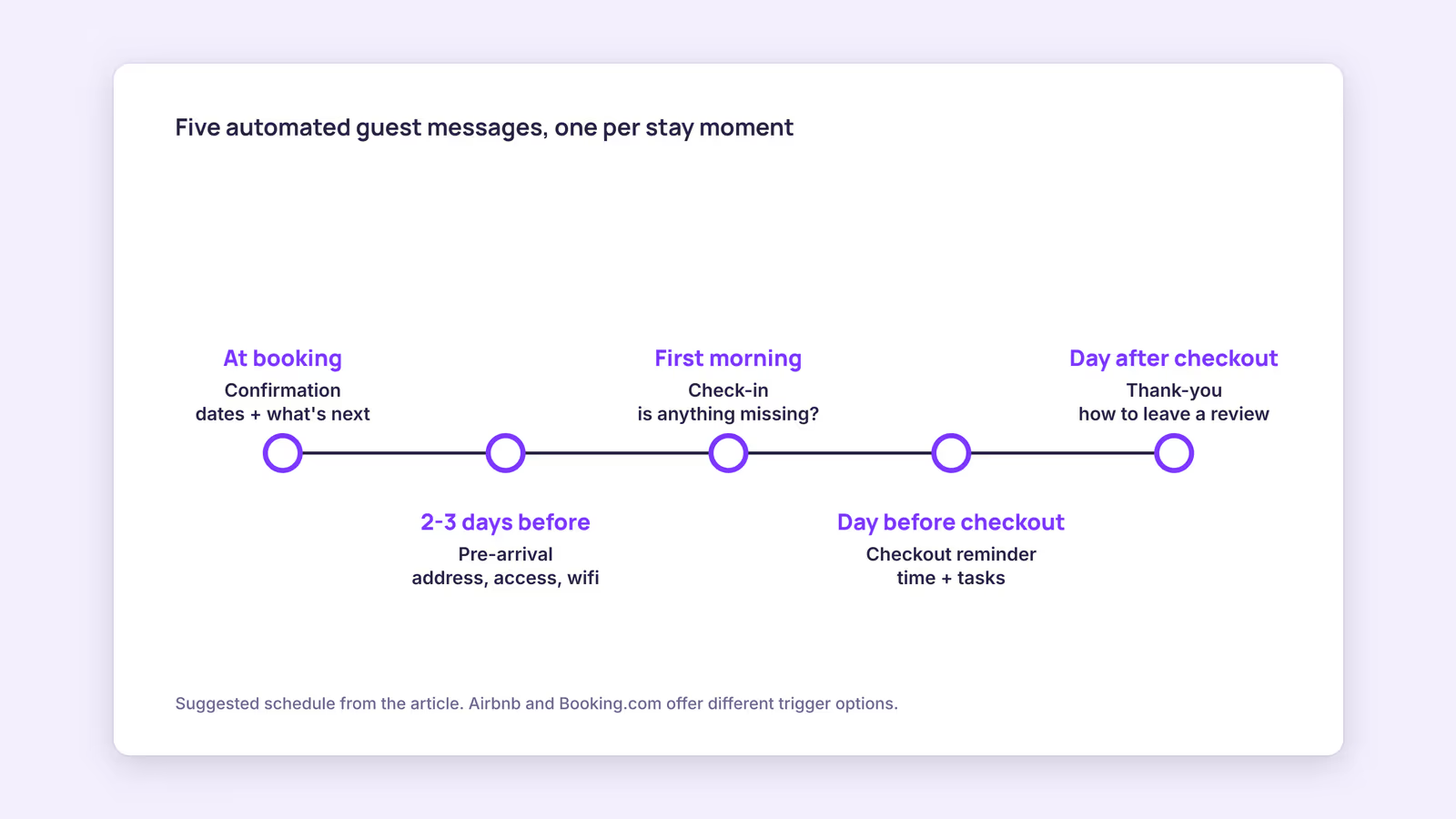
Automated guest messaging should send logistics guests need at predictable moments: confirmation after booking, access details before arrival, a check-in after the first night, a checkout reminder and a thank-you after departure.
Our recommendation: keep it to about five messages. More than that tends to bury the one message that matters, the one with the address and door code. Here's the schedule we suggest, with the variables each one needs:
| Message | Suggested timing | What it must contain | Variables used |
|---|---|---|---|
| Booking confirmation | Right after booking | Dates, what arrives later and when | Guest first name, check-in date, checkout date |
| Pre-arrival logistics | Two to three days before check-in | Address, arrival window, access steps, wifi | Address, check-in time, wifi name and password |
| First-morning check-in | Morning after arrival | One open question: is anything missing? | Guest first name |
| Checkout reminder | Morning of the day before checkout | Checkout time and two or three tasks | Checkout date, checkout time |
| Thank-you | Day after checkout | Thanks, how to leave a review | Guest first name |
A pre-arrival template might read: "Hi [guest first name], you're booked at [property name] from [check-in date]. Address: [address]. Check-in is after [check-in time]. Wifi: [wifi name], password [wifi password]. Reply here if your arrival time changes."
Two cautions on wording. Don't promise a guest a review score in your thank-you message, and don't pressure for five stars; Airbnb's Reviews Policy says hosts may not incentivize or pressure guests to influence a review, or offer a reciprocal positive review in exchange. For the first-morning message, our morning-after message guide covers timing and tone, and our checkout instructions guide covers which tasks are fair to ask for.
How do template variables work?
Template variables are placeholders you type into a message once; when the message sends, the system replaces each one with data from the reservation or listing, such as the guest's name or check-in date.
Airbnb calls them "details." Its help article on scheduled quick replies lists examples such as guest first name, check-in date, check-in time, address, wifi name and wifi password. It also warns that a detail displays as unavailable if the matching information isn't filled in on your listing. Booking.com calls them placeholders and names guest name, check-in time and property name as examples in its templates help article.
That warning is the most common reason a scheduled message looks broken. Before you switch anything on, fill in every listing field your templates reference, then preview one message per listing.
Door codes need extra thought. If your code changes per booking, a static variable won't work; you need a smart lock integration or a manual step. If the code is fixed, putting it in a template is convenient, but anyone who ever received it still has it, so change it on a schedule you can live with.
How to set up automatic messages on Airbnb and Booking.com
You can set up automatic messages inside each platform: Airbnb schedules quick replies around booking, check-in and checkout, while Booking.com schedules templates at fixed stages before arrival and departure.
On Airbnb, go to Messages, open Settings, choose Quick replies, create a template, then add a scheduling action. According to Airbnb's help article, scheduled quick replies can trigger on a new reservation, check-in or checkout, are sent in the listing's time zone, apply to current and upcoming reservations, and can be skipped, edited or sent early per reservation from a timeline view.
On Booking.com, templates are created in the Extranet or Pulse app, and only accounts with admin rights can add or edit them. The help article lists these scheduling stages: when a guest makes a booking, one week before arrival, three days before arrival, one day before arrival, on the day of arrival, and one day before departure. It doesn't list a stage after checkout, so a post-stay thank-you there needs another route. Our Booking.com messaging guide covers the inbox itself.
A PMS or messaging tool sits on top of this. Its value is one set of templates across every listing and channel instead of one per platform. Before you buy, ask which channels its messages actually reach: some tools send through the booking platform's own message thread, others by email to guests of your direct bookings only.
Why are Airbnb scheduled messages not working?
Airbnb scheduled messages usually fail for predictable reasons: a missing listing detail, a last-minute booking that skipped the message, a template not applied to that listing, or a time-zone mismatch.
Use this checklist when a guest says they never got your instructions:
| Symptom | Likely cause | Fix |
|---|---|---|
| Message says a detail is unavailable | Listing field referenced by the template is empty | Fill in the field, then preview again |
| Same-day booking got no pre-arrival message | Message was skipped for a last-minute booking | Turn on "Send for last minute bookings and short stays" |
| One-night stay missed the checkout reminder | Trigger time fell before check-in | Same toggle, or send manually |
| One listing never sends | Template not applied to that listing | Edit the template's listing selection |
| Message arrived at an odd hour | Sent in the listing's time zone | Check the listing's location and your trigger time |
The last-minute behavior comes straight from Airbnb's article: with the toggle off, a message due two days before check-in is skipped if the guest books on arrival day; with it on, pre-check-in messages send at booking, and other skipped messages send at the listing's check-in time. Airbnb says you'll get a notification and email when messages are skipped or sent off-schedule, so don't ignore those.
One more rule: don't use automated messages to move guests off the platform. Airbnb's off-platform policy prohibits sharing off-platform links, asking guests for their email address, or steering future bookings away from Airbnb.
When this advice does not apply
- Hotel-style properties with a front desk may need fewer logistics messages and more upsell or check-in forms, which is a different setup.
- Changing door codes can't come from a static template; you need a lock integration or a manual send.
- Guests with questions still need a human. Automation covers predictable information, not a broken heater. A unified inbox helps you answer those faster.
What to do next
- List every question you answered more than once in your last five conversations.
- Write the five templates above, each with the key action in the first two lines.
- Fill in every listing field your templates reference, then preview each template per listing.
- On Airbnb, decide whether to turn on the last-minute toggle; on Booking.com, pick the matching stages.
- Make a test booking on a blocked date, or review the first real guest's timeline, before trusting the schedule.
FAQ
Can I edit a scheduled message for one guest only?
On Airbnb, yes. The timeline view lets you skip, customize or send a scheduled quick reply early for a specific reservation without changing the template.
Do Booking.com automated messages go to the guest's email?
Booking.com says automatic replies reach guests as an email and appear in the chat conversation. Sent templates also show in your Extranet and Pulse inbox.
Can Booking.com send templates in the guest's language?
Yes, if you create language versions under the same template name. Booking.com matches the guest's language preference and falls back to your default language otherwise.
About BookBed: BookBed Pro includes automated guest messaging for pre-arrival, mid-stay and post-stay moments, so the schedule above can run from one place for your BookBed bookings. Try BookBed Pro
Sources
- Airbnb Help Center, "Create scheduled quick replies and send them to guests automatically" — Verified 2026-09-30
- Booking.com for Partners, "Setting up templates, automatic replies, and message notifications" — Verified 2026-09-30
- Airbnb Help Center, "Reviews Policy" — Verified 2026-09-30
- Airbnb Help Center, "Off-Platform Policy" — Verified 2026-09-30
- BookBed, "Pricing" (public/pricing.md) — Verified 2026-09-30