Most feature pages for a vacation rental PMS read like a menu with 200 items, and you're left guessing which ones protect your bookings and which ones only matter to a company managing hundreds of homes for other owners. If you run somewhere between one and 25 units, the useful property management system features fit on one page.
Your first action: write down the three problems that cost you the most time or money last season, such as a double booking, late-night check-in messages, or commission on repeat guests. Then judge every feature against that list, not against a vendor's comparison chart.
What are the core property management system features for a small rental business?
For one to 25 units, the core features are calendar sync across channels, one place to see every booking, scheduled guest messages, a direct booking option, and basic invoicing or revenue records. Most other modules are optional.
Here's why each one earns its place.
Calendar sync. If a booking on one channel doesn't block the same dates elsewhere, you risk a double booking. There are two ways tools connect: direct connections that a channel approves, and iCal feeds. iCal is a shared calendar file that each platform fetches on its own schedule. Airbnb says your calendar "automatically updates every 3 hours" from connected calendars, and Booking.com says it "automatically imports any connected calendar every two hours" and that this isn't real time. No tool that publishes a feed can make those platforms fetch faster. Our guide to iCal sync covers how to measure your own delay.
One booking view. You need a single calendar that shows every unit and every channel, so you can answer "is the 14th free?" in five seconds without opening three apps.
Scheduled guest messages. Pre-arrival instructions, a mid-stay check and a post-stay thank-you are the same text every time with different names and dates. Templates with placeholders, sent on a schedule relative to check-in or check-out, save you the most repetitive typing.
A direct booking option. OTA fees are real money. Airbnb's service fee page lists a single host-only fee of 15.5% for most hosts on that model, and Booking.com charges a commission percentage that depends on country, property type and agreement. A booking widget on your own site lets returning guests book without that commission, though you still pay card processing. Stripe's Ireland pricing lists standard EEA cards at 1.5% + €0.25. Note that Airbnb's off-platform policy bars you from steering Airbnb guests to book off Airbnb, so direct bookings have to come from your own marketing and past guests who found you elsewhere.
Invoicing and records. You need to know what each booking paid, what the channel kept, and to issue an invoice when a direct guest asks for one. You don't need full accounting inside the PMS.
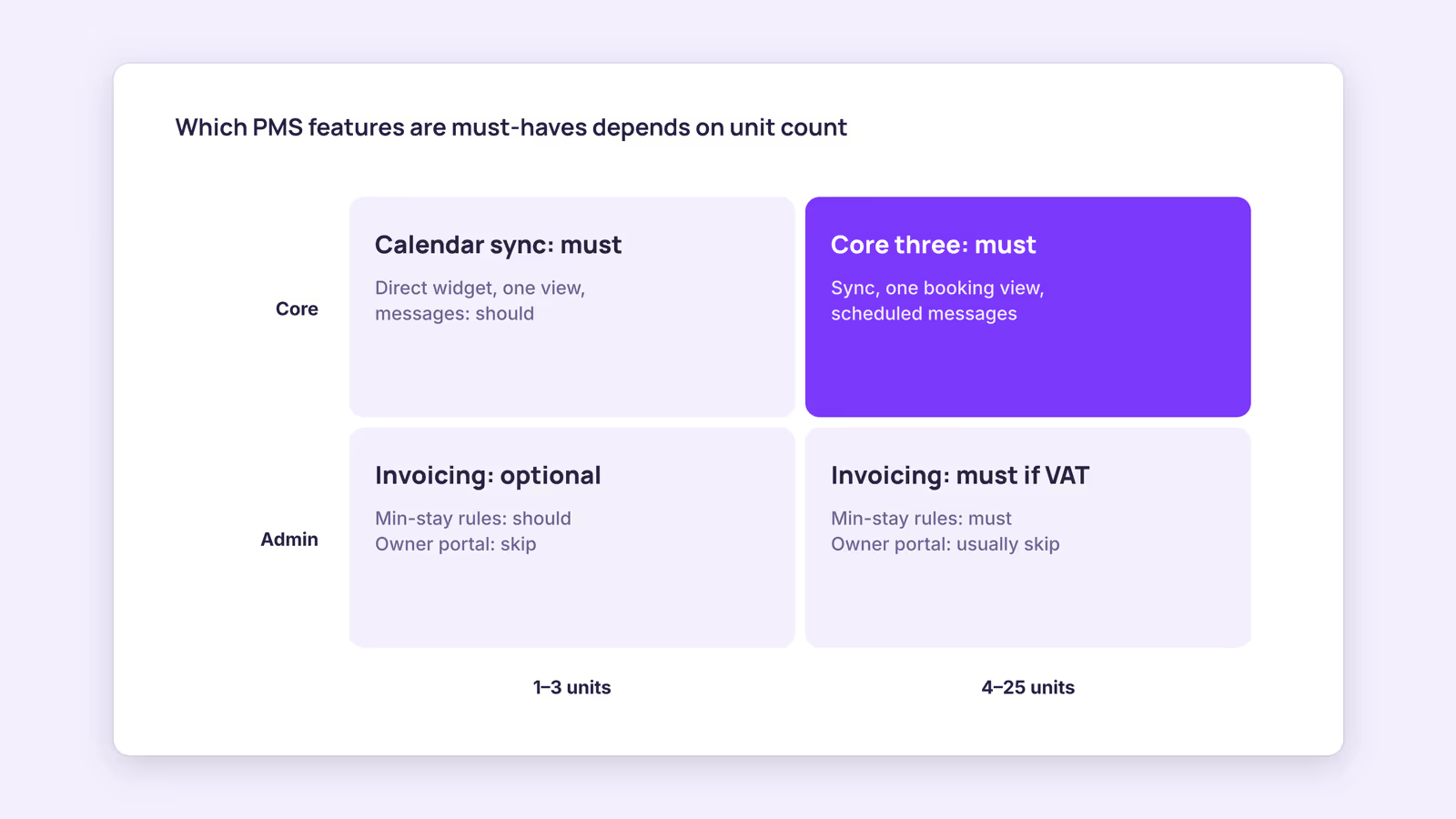
What are your real PMS requirements at 1–3 units versus 4–25?
At one to three units, your PMS requirements are mostly sync and direct bookings; at four to 25 units, a multi-unit timeline, message automation and invoicing move from nice-to-have to necessary.
This checklist is the original artifact of this post. Use it during a free trial: every "must" row should pass a hands-on test before you pay.
| Feature | Test during the trial | 1–3 units | 4–25 units |
|---|---|---|---|
| Calendar sync | Block a far-future night on one channel, time how long until it shows everywhere | Must | Must |
| One booking view | Find the next free weekend across all units in under a minute | Should | Must |
| Scheduled messages | Create a pre-arrival template with guest name and dates, send a test to yourself | Should | Must |
| Direct booking widget | Make a test booking and confirm where the payment lands | Should | Should |
| Invoicing / VAT records | Generate an invoice for the test booking | Optional | Must if VAT-registered |
| Minimum stay and seasonal rules | Set a three-night minimum for one date range and try to book two nights | Should | Must |
| Owner portal, trust accounting | Skip unless you manage for other owners | Skip | Usually skip |
Consider a hypothetical four-unit host who fails the "one booking view" test: they'd still be opening each listing separately to answer availability questions, which is the exact work a PMS is supposed to remove. That single failure is a reason to keep looking, whatever else the tool does.
Which features of PMS software can you skip?
Unless you manage homes for third-party owners or run a large team, you can usually skip owner portals, trust accounting, complex task dispatch and built-in revenue algorithms, because each solves a problem you don't have yet.
- Owner portals and owner statements. Useful when you report to property owners. Pointless if you own the units or manage for family.
- Trust accounting. Relevant where local rules require separate handling of client funds. Check your own jurisdiction rather than paying for it by default.
- Team task dispatch. A shared calendar and a message to your cleaner covers most small operations.
- Built-in dynamic pricing. Our recommendation: treat pricing as a separate decision. Some hosts use a dedicated pricing tool; others set seasonal rates by hand. Either way, don't pick a PMS for its pricing module alone.
How do you compare property management system key features across vendors?
Compare vendors by running the same short test on each: the sync test, one test booking, one template message and one invoice, then compare total monthly cost at your unit count, including any per-booking fees.
Pricing models differ a lot. Guesty's pricing page says it prices by listings plus add-ons, with packages that start from $9/month per listing. Smoobu's pricing page lists one plan with a 0.9% per-booking fee and says its other plans are commission-free. This suggests per-listing and per-booking models can cost very different amounts depending on how many bookings each unit takes, so do the math at your own volume. Our guide to choosing a vacation rental PMS walks through the rest of the evaluation, and the channel manager vs PMS explainer helps if you're unsure which category you need.
When this advice does not apply
- You manage properties for other owners: owner statements and client-fund handling become core, not optional.
- You run over 25 units or a hotel-style operation: direct channel connections, staff roles and housekeeping workflows matter more.
- You list mainly on channels that don't offer iCal import: check which connection types each channel supports before choosing a tool.
- You need rate and restriction updates pushed to OTAs automatically: that needs a tool with direct channel connections, not iCal.
What to do next
- Write down your three most expensive problems from last season.
- Copy the checklist above and mark which rows are "must" for you.
- Start two free trials and run the same four tests in each.
- Price both at your unit count and expected bookings, including per-booking fees.
- Check your existing iCal links with the iCal checker before you switch.
FAQ
What is the difference between a PMS and a channel manager?
A channel manager keeps availability in step across booking sites. A PMS usually adds bookings management, guest messaging, payments and records on top. Many small-host tools bundle both.
Do I need a vacation rental PMS for one to three units?
Not strictly. A spreadsheet and manual calendar blocking can work at one unit. The case for a PMS grows once you list on two or more channels and the sync and messaging work becomes daily.
What should a property management software features list include at minimum?
Calendar sync, a combined booking view, message templates, a way to take direct bookings, and invoicing. Everything else depends on who you manage for and how large your team is.
About BookBed: BookBed Pro includes automated guest messaging, with pre-arrival, mid-stay and post-stay messages sent on a schedule so you stop retyping the same instructions for every booking. Try BookBed Pro
Sources
- Airbnb Help Center, "Sync your home host calendar to other websites" — Verified 2026-09-30
- Booking.com for Partners, "Updating your availability calendar in the extranet" — Verified 2026-09-30
- Airbnb Help Center, "Airbnb service fees" — Verified 2026-09-30
- Booking.com for Partners, "Understanding your commission" — Verified 2026-09-30
- Stripe, "Pricing" (Ireland) — Verified 2026-09-30