You're choosing a vacation rental PMS, and every vendor page promises the same things: sync, automation, growth. The software you pick will hold your calendars, guest data and possibly your payments, so switching later costs time. The way through is to decide what you need before you look at feature lists.
Start with one action today: write down the single problem that costs you the most time or money right now. Double bookings, guest messages, missing direct bookings or messy invoicing. That one line will filter most of the market for you.
What should a vacation rental PMS do for your setup?
A vacation rental PMS should solve your most expensive current problem for your exact channels and unit count; features outside that problem are nice to have, not reasons to pay more.
If you're still unsure whether you need a full PMS or only calendar sync, read channel manager vs PMS first. Then list your non-negotiables:
- Channels: which booking sites you list on today, and which you plan to add in the next year.
- Connection type: whether the tool connects to each site through calendar feeds (iCal) or through a platform connection, and what the vendor says about each one.
- Payments: which processor takes direct-booking payments, and whether the money lands in your own account.
- Other tools: pricing tools, smart locks, cleaning apps or accounting software you won't give up.
Connection type matters more than most feature lists admit. With iCal, the receiving site fetches your calendar on its own schedule. Airbnb says your calendar "automatically updates every 3 hours" from connected calendars (Airbnb Help Center), and Booking.com says it "automatically imports any connected calendar every two hours" and that sync "is not in real time" (Booking.com for Partners). No PMS can shorten those schedules. If your dates sell within hours in peak season, ask each vendor exactly how it connects to each site.
Then match your bottleneck to what to test:
| Your biggest bottleneck | What to look for | How to test it in the trial |
|---|---|---|
| Double bookings | Clear connection type per channel, one calendar per unit | Block a far-future night and time how long it takes to appear elsewhere |
| Guest messaging load | Scheduled messages by stay stage, templates with booking details | Set up a pre-arrival message and send it to yourself |
| Few direct bookings | Booking widget or site, payments into your own account | Complete a test booking end to end |
| Invoicing and tax admin | Automatic invoices, VAT reporting | Generate an invoice for a test stay |
| Owner reporting | Owner statements, per-unit payouts | Ask for a sample statement |
How do you compare vacation rental software pricing fairly?
Compare vacation rental software by total monthly cost at your real unit count and booking volume, including per-booking fees, add-ons and payment processing, not by the lowest advertised price.
Vendors use different models, which is why a vacation rental software comparison on headline price misleads. Some examples from vendors' own pricing pages:
- Per property: iGMS prices per property per month, with a minimum of $20 per property (iGMS pricing).
- Base fee plus booking percentage: Smoobu's Professional Flex plan lists €29/month plus a 0.9% booking fee; its other plans are commission-free (Smoobu pricing).
- Tiered by property count: Hospitable prices its plans by property count, with features added at higher tiers (Hospitable pricing).
- Flat tier with a unit cap: you pay one price up to a set number of units.
Use this formula for each candidate:
Monthly cost = base fee + (per-unit fee × units) + (booking fee % × monthly booking value) + add-ons + payment processing on direct bookings
Worked example, for a hypothetical six-unit host with €12,000 of bookings in a peak month:
| Cost line | Per-unit model at $20 minimum | Base plus 0.9% model |
|---|---|---|
| Base or per-unit fee | 6 × $20 = $120 minimum | €29 |
| Booking-value fee | none listed | 0.9% × €12,000 = €108 |
| Peak-month total before add-ons | at least $120 | €137 |
This suggests two things. A percentage fee grows with your revenue, so check it at your best month, not your quietest. And a per-unit price grows with every unit you add, so run the math at your 12-month unit count too. For direct bookings, add card processing: Stripe lists standard EEA cards at 1.5% + €0.25 (Stripe pricing). For a deeper look at each model, see vacation rental PMS pricing models.
How do you test a vacation rental PMS during the free trial?
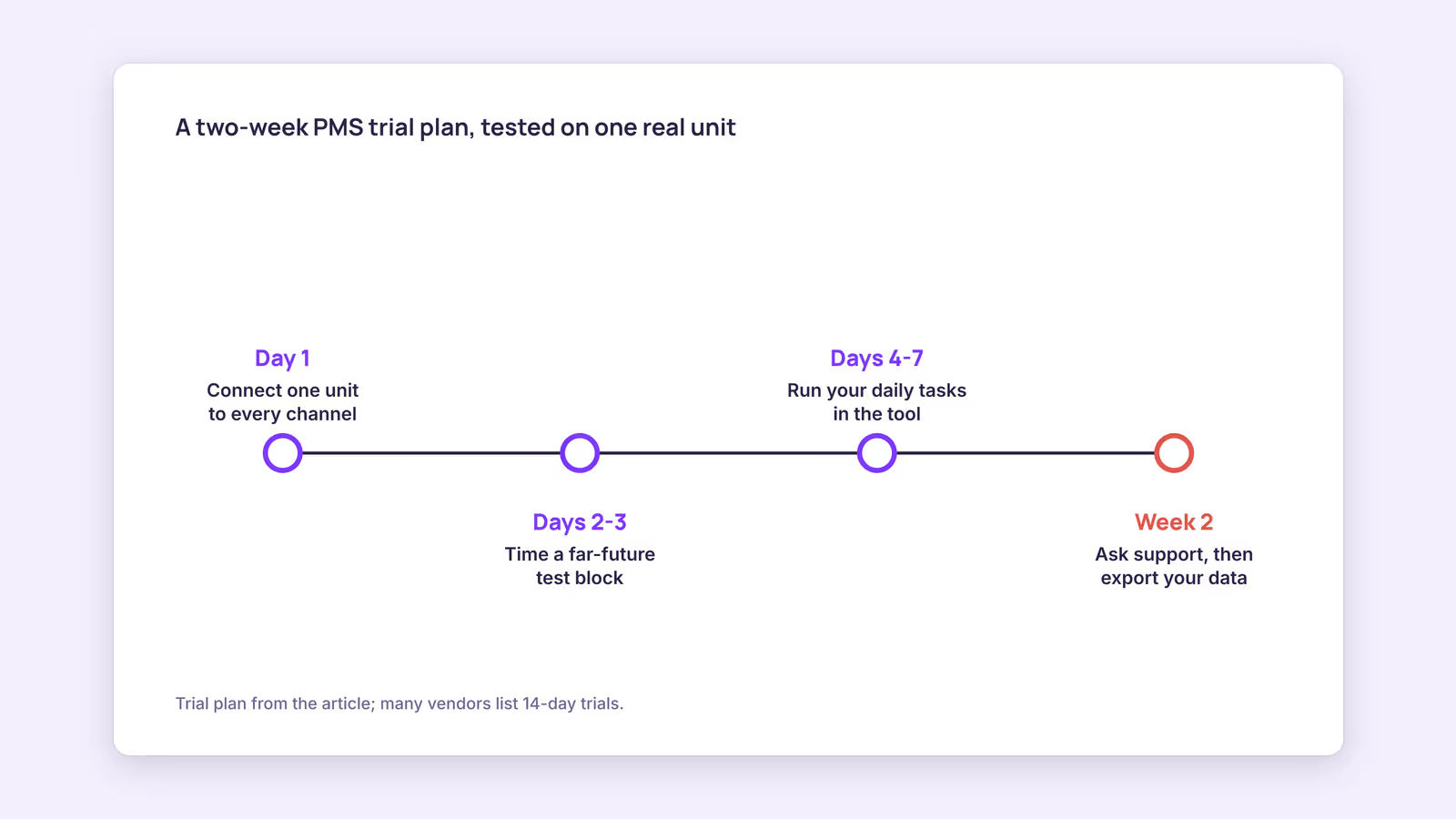
Use the trial as a rehearsal of a real week: connect one real unit, run your daily tasks, trigger a support request, and confirm the calendar behaves as the vendor described.
Many vendors offer a free trial; Hospitable and Smoobu both list 14-day trials on their pricing pages. Two weeks goes fast, so plan it:
- Day 1: connect one unit to every channel you use. Write down each import and export link.
- Days 2–3: block a far-future night on one site and record when it appears on the others. If a feed looks wrong, paste it into the iCal checker.
- Days 4–7: do your normal work in the tool: find a reservation, block dates, send a guest message, change a price for next week.
- Week 2: send support a specific technical question, note the response time and whether the answer fits your setup, and export your data to confirm you can get it out.
Our recommendation: if a daily task takes noticeably longer than it does today, count that against the tool. You'll repeat it hundreds of times a year.
Which red flags should rule out a vacation rental property management system?
Rule out a vacation rental property management system when you can't see the full price, can't leave easily, or can't get a clear answer about how it connects to each booking site.
- Price only on a sales call when you run a handful of units.
- Setup or onboarding fees you didn't plan for.
- Annual lock-in with no monthly option or trial.
- Vague connection answers: "we sync with everything" without saying how, per channel.
- Your direct-booking money lands in the vendor's account instead of yours, with payout delays you can't control.
- No data export for reservations and guest records.
None of these is automatically disqualifying for a large agency. For a small host, each one shifts risk onto you. When you do decide to move, the PMS switching guide covers running systems in parallel.
When this advice does not apply
- Large portfolios: if you run dozens of units with staff, owner accounting and trust rules, you'll need a longer vendor evaluation, reference calls and contract review.
- Hotel-style inventory: rooms sold as room types behave differently from one-listing-per-unit setups.
- Single-channel hosts: if you only list on one site and never take direct bookings, that site's own tools may be enough.
What to do next
- Write down your one biggest bottleneck and your non-negotiable channels and tools.
- Shortlist three tools and ask each how it connects to each of your channels.
- Run the cost formula at your peak month and your 12-month unit count.
- Start trials one at a time and follow the two-week plan.
- Export a test data set before paying anything.
FAQ
What is the best vacation rental software for 1 property?
There's no single best choice. For one property, prioritize low fixed cost, the channels you actually use, and a simple calendar. Tiered or flat plans with small unit caps often suit one to three units.
Is vacation rental software for small business different from enterprise tools?
Usually, yes. Small-business tools focus on calendars, messaging and direct bookings with self-serve setup. Enterprise tools add owner accounting, team permissions and custom contracts, with pricing to match.
Do I need a free trial before choosing?
Yes, if one is offered. A trial with a real unit shows how the calendar, messaging and support behave in your setup, which no feature list can.
About BookBed: BookBed's embeddable direct booking widget takes payment through Stripe checkout straight into your own Stripe account, with 0% commission from BookBed and only Stripe's processing fees. It doesn't bring traffic on its own, so it works best when you already have guests to send to it. Try BookBed free
Sources
- Airbnb Help Center, "Sync your home host calendar to other websites" — Verified 2026-09-30
- Booking.com for Partners, "Updating your availability calendar in the extranet" — Verified 2026-09-30
- Smoobu, "Pricing" — Verified 2026-09-30
- iGMS, "Pricing" — Verified 2026-09-30
- Stripe, "Pricing" (Ireland) — Verified 2026-09-30