You've started taking reservations on Booking.com, and guests are asking the same questions: where to park, when they can get in, what the Wi-Fi password is. Answering each one by hand is slow, and the answers drift from guest to guest. Booking.com messaging has built-in tools for this, and most hosts only use part of them.
Your first action today: open the extranet inbox, read your last ten guest conversations, and write down every question that came up more than once. That list is the raw material for every template below.
How does Booking.com messaging work, and how do you message a guest?
You message a Booking.com guest through the extranet or the Pulse app, inside the reservation's chat, or through a connectivity provider if yours supports messaging for your account.
Booking.com's help page on contacting guests sets out the rules that shape everything else:
- Guests and hosts see an anonymous email alias, not each other's private address.
- You can send messages from booking until seven days after check-out or cancellation. When a guest writes, you have 14 days to reply. After one year, the messages can't be read.
- PDFs and QR codes aren't supported as chat attachments. Images are. For a PDF, use the reservation's email alias.
- Links need to be on your trusted list in Message Preferences, and Booking.com says it will disable links in your messages if it detects suspicious activity on your account.
- Booking.com says it no longer shares guest phone numbers with connectivity providers; you see them in the extranet or Pulse.
- Built-in translation covers a set of languages including English, German, French and Spanish.
This suggests a practical rule: keep everything a guest needs to arrive inside the Booking.com chat as plain text and images. Don't count on a PDF guide or an unlisted link getting through. If you use a separate check-in tool, add its URL to your trusted links before you schedule anything that contains it. For a wider tour of the back office, see the Booking.com extranet explained.
Which Booking.com automated messages should you set up?
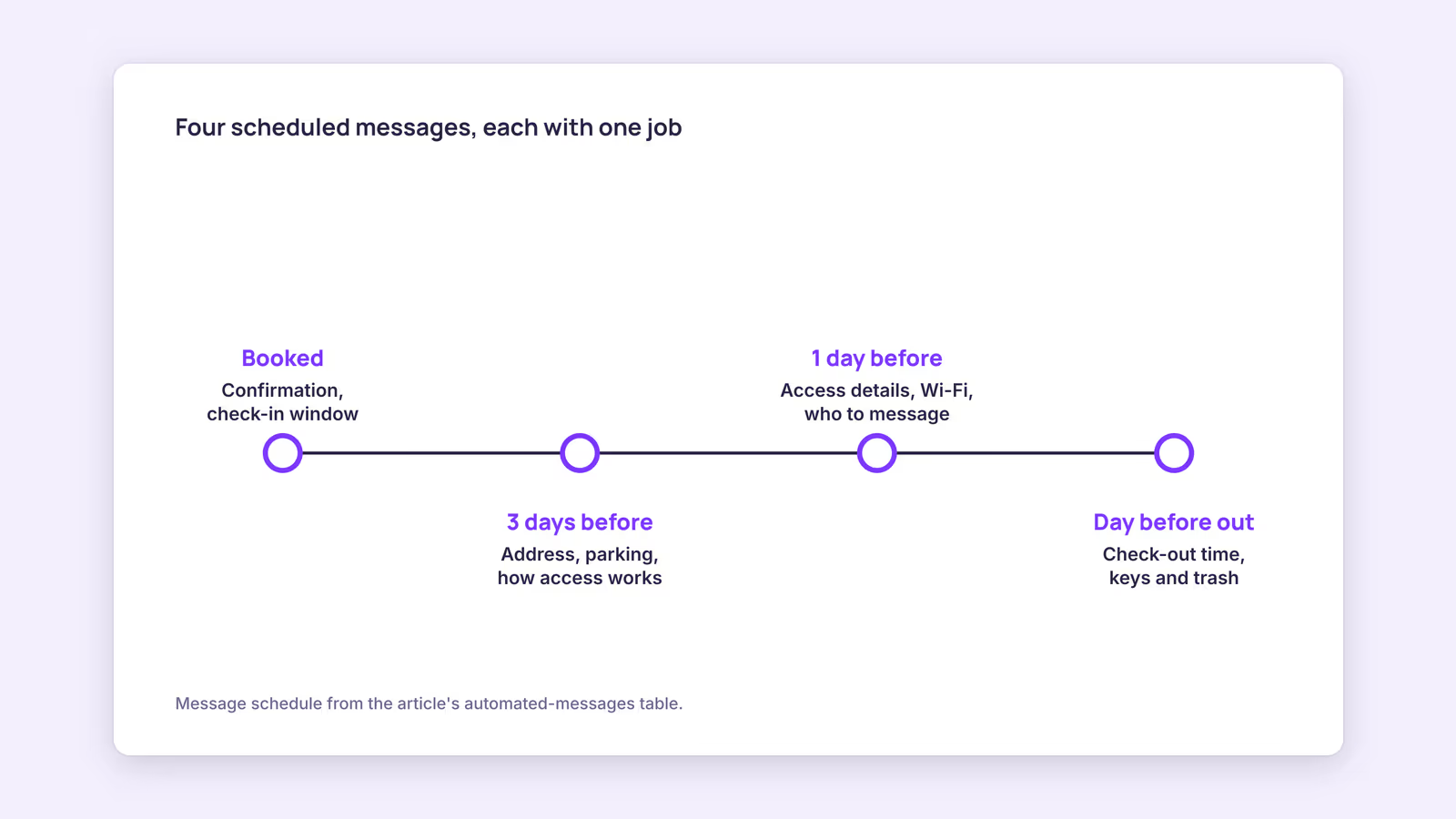
Set up scheduled templates for the moments guests actually need information: at booking, a few days before arrival, the day before, and the day before departure. Add automatic replies for your most common questions.
Booking.com's page on templates, automatic replies and notifications lists the stages you can schedule a template for: when a guest books, one week before arrival, three days before, one day before, on the day of arrival, and one day before departure. Templates take placeholders such as guest name, check-in time and property name, and they can carry image attachments.
Use the stages as a map, not a to-do list. Every extra message is one more thing the guest has to read. Here's a decision aid for what each message should hold:
| Stage | Put in it | Leave out |
|---|---|---|
| When a guest books | Confirmation, check-in window, house rules that could change their plans (pets, parties, parking) | Door codes, long local guides |
| Three days before arrival | Address, parking, how access works, a question about arrival time | Wi-Fi details |
| One day before arrival | Access details, Wi-Fi, who to message if something is wrong | Rules they already accepted |
| One day before departure | Check-out time, what to do with keys and trash | Review requests |
Our recommendation: start with the booking and one-day-before messages, then add the others only when your question list shows a gap. Whether the access code belongs in the three-day or the one-day message depends on how your lock works; if codes are generated per stay, send them as late as the guest can still use them.
A booking message example for the three-day stage:
Hi [guest name], we're getting [property name] ready for your arrival. Check-in is from [check-in time]. The address is [address], and parking is [parking instructions]. You'll get your access details the day before arrival. What time do you expect to arrive?
Automatic replies work differently. Booking.com says they are split into replies for requests that fall within your policy, which accept the request, and replies for requests outside it, which you can pair with a template. Guests receive them as email, and they appear in the chat. Booking.com's messaging tools page states that over 30% of partner responses are automatic replies and that, by its data, guests who get quick answers are less likely to cancel. That's Booking.com's own figure, not an independent study.
Should a Booking.com welcome message sound different from an Airbnb one?
Not necessarily; the platform matters less than what the guest needs. Write any welcome message so it can be read in under a minute on a phone, with the logistics first and the warmth second.
The old advice that Booking.com guests "just want a hotel" is a generalization, and you don't need it. Your own question list tells you what guests want. If most questions are about parking and arrival times, your welcome message should lead with those. If you also host on Airbnb, the logistics can be shared; see the Airbnb welcome message templates for structure you can reuse.
Two cautions. First, a welcome message isn't a place to ask for a high review score. Booking.com's guest review guide explains guests have 90 days to review, on a 1 to 10 scale; ask for honest feedback instead of a specific number. Second, messages sent through a connectivity provider and messages sent from the extranet can overlap. Check which functions your provider manages so the guest doesn't get the same template twice.
How should you answer Booking.com special requests?
Reply to every special request in writing, quickly, with a clear yes, no or "we'll confirm by a named date", because an unanswered request can look like a yes to the guest.
Consider a hypothetical guest who writes "early check-in at 10:00" in the request box. If you have a same-day turnover, the reply is short: "We got your request for a 10:00 check-in. We have another guest leaving that morning, so the earliest we can let you in is [check-in time]. You're welcome to leave bags at [location] if that helps." If the request conflicts with a rule, such as a pet at a no-pets property, say so plainly and point to the rule the guest agreed to.
An automatic reply for "outside your policy" requests can cover the most common one, but read it back before you switch it on. A canned answer that ignores what the guest actually asked can do more harm than a late personal reply.
When this advice does not apply
If a channel manager or PMS handles Booking.com messaging for your account, its settings may override or duplicate the extranet templates, so set up messaging in one place only. The schedule stages, attachment rules and reply windows above come from Booking.com's help pages as of September 2026 and can change. Hotels with front-desk staff may need different templates than self-check-in rentals.
What to do next
- List every repeated guest question from your last ten Booking.com conversations.
- Add your check-in tool and website to trusted links in Message Preferences.
- Create the booking and one-day-before templates, with placeholders, and preview both.
- Turn on automatic replies for your two most common questions.
- If you use a connectivity provider, confirm which messaging functions it manages. For multi-platform tips, read how to automate guest messaging.
FAQ
Does Booking.com have automated messages?
Yes. The extranet offers scheduled message templates at set stages of the reservation and automatic replies to common guest questions, both also available in the Pulse app.
Why can't I send a PDF or link in Booking.com messages?
Booking.com doesn't support PDFs or QR codes as chat attachments; use the reservation's email alias for PDFs. Links must be on your trusted list, and Booking.com can disable links if it detects suspicious account activity.
How long can I message a guest after check-out?
Booking.com says you can send messages until seven days after check-out or cancellation, and you have 14 days to reply when a guest writes to you.
About BookBed: BookBed Pro includes automated guest messaging at pre-arrival, mid-stay and post-stay, so your arrival details come from one set of templates instead of being retyped per booking. Try BookBed Pro
Sources
- Booking.com for Partners, "Contacting guests" — Verified 2026-09-30
- Booking.com for Partners, "Setting up templates, automatic replies, and message notifications" — Verified 2026-09-30
- Booking.com for Partners, "Messaging Tools" — Verified 2026-09-30
- Booking.com for Partners, "Everything you need to know about guest reviews" — Verified 2026-09-30