Your average daily rate on Airbnb is almost never the base price you typed into the listing. Weekend premiums, seasonal changes, length-of-stay discounts and last-minute cuts all move what you really earn per booked night. Your first action: export last month's reservations from every channel you use and put them in one sheet, with nights and nightly revenue for each stay. Everything below works from that sheet.
What is ADR in vacation rentals?
ADR, or average daily rate, is the average rental revenue you earn for each night that was actually booked, calculated only over occupied nights and ignoring every night the calendar sat empty.
That last part matters. A listing with a high ADR can still earn little if it's booked five nights a month. ADR tells you about price realization; it says nothing about how full you were. To combine the two, you need occupancy and RevPAR, covered further down.
ADR is a hotel-industry metric at heart, so it assumes a clean "room revenue" number. Short-term rentals are messier, because each booking carries several money lines. You have to decide which of them count.
How do you calculate ADR for Airbnb?
To calculate ADR for Airbnb, add up the nightly revenue from every stay that checked in during the period, then divide that total by the number of nights those stays covered.
The ADR formula:
ADR = nightly revenue for the period ÷ booked nights in the period
Before you plug in numbers, settle three definitions and write them at the top of your sheet so next month's figure is comparable:
- Cleaning fees: in or out? Our recommendation: leave them out. A cleaning fee is per stay, not per night, so including it inflates ADR for short stays and deflates it for long ones. Note that platforms don't necessarily draw the same line: Airbnb's service fee is calculated on the nightly price plus host fees such as cleaning, and Booking.com's commission is a percentage of the total booking amount, including fees like cleaning.
- Gross or net of platform fees? Pick one. Gross ADR (what the guest paid for nights) is useful for comparing your price to other listings. Net ADR (after host-side fees) is closer to what lands in your account. Airbnb's host fee depends on whether you're on the split-fee or single-fee structure, so check which applies to you on the service fees page rather than assuming a percentage.
- Which nights belong to which month? Assign each night to the month it falls in. A stay from 29 May to 3 June gives three nights to May and two to June.
Taxes collected on the guest's behalf stay out in every version.
Worked example (hypothetical)
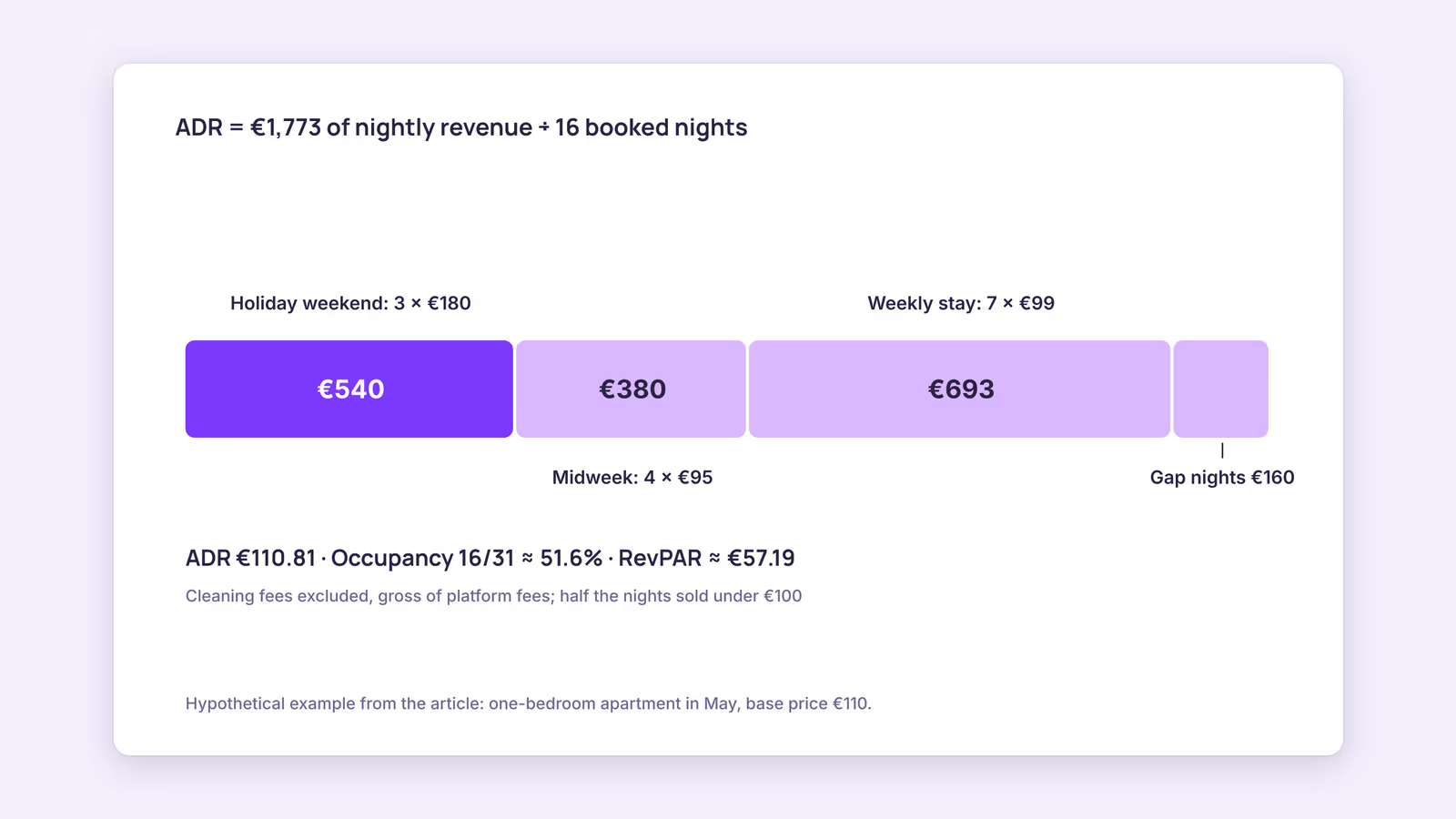
Consider a hypothetical one-bedroom apartment in May, with cleaning fees excluded and figures gross of platform fees:
| Stay | Nights | Nightly price | Nightly revenue |
|---|---|---|---|
| Holiday weekend | 3 | €180 | €540 |
| Midweek business stay | 4 | €95 | €380 |
| Week with a 10% weekly discount | 7 | €99 | €693 |
| Last-minute gap fill | 2 | €80 | €160 |
| Total | 16 | €1,773 |
ADR = €1,773 ÷ 16 = €110.81.
The listing's base price that month was €110, so the result looks unremarkable. But look at the spread: the holiday weekend ran at €180 while half the booked nights sold under €100. The average hides both a strong premium period and a lot of discounted nights. That's why you should keep the per-stay rows, not just the final number.
How do you calculate ADR and RevPAR together?
You calculate RevPAR by multiplying ADR by occupancy rate, or by dividing the same nightly revenue by all available nights instead of only booked nights.
Continuing the hypothetical: May has 31 nights, and assume none were blocked for owner use. Occupancy is 16 ÷ 31, about 51.6%. RevPAR is €1,773 ÷ 31, about €57.19, which matches €110.81 × 0.516. Our occupancy rate guide covers how to treat blocked nights, and the RevPAR explainer goes deeper on that metric.
The three numbers work as a set. ADR alone can be pushed up just by refusing cheap bookings, which usually costs you occupancy. RevPAR shows whether that trade paid off.
What does your ADR tell you, and what should you change?
Your ADR tells you how much pricing power you're realizing per booked night, but it only becomes useful once you read it next to occupancy and compare it with the same period last year.
Use this diagnostic grid with your own month-over-month or year-over-year figures:
| ADR vs. last year | Occupancy vs. last year | Likely reading | First thing to check |
|---|---|---|---|
| Up | Up | Demand is strong or listing improved | Whether peak dates still sell out too early, which may mean prices are low for those dates |
| Up | Down | Price may be above what guests accept | Compare your total price with similar listings for the same dates |
| Down | Up | Discounts may be filling the calendar too cheaply | Which stays in your sheet were discounted, and by how much |
| Down | Down | Weaker demand, more competition, or a listing issue | Search visibility, reviews, photos, and local supply changes |
These are hypotheses, not verdicts. A single month with a few bookings can swing wildly, and events, school calendars and weather shift demand in ways a two-column comparison can't separate.
One platform detail worth knowing: Airbnb says in its search ranking explanation that price heavily influences how listings appear, that its algorithm compares your total price with other listings in the area for the same dates, and that comparable listings priced lower tend to rank higher. This suggests raising ADR purely by raising prices can reduce visibility, which then shows up as lower occupancy.
If you want to lift ADR without that trade, the levers are usually about value and timing rather than a flat increase:
- Raise prices on your highest-demand dates first (the rows in your sheet that booked earliest).
- Review how deep your length-of-stay and last-minute discounts go; see our pricing strategies guide for structuring them.
- Improve what guests see before booking, like photos, amenities and description, so a higher price reads as fair.
Treat each change as a test: change one lever, then compare ADR and occupancy for the following weeks against the same weeks last year.
When this advice does not apply
- Very few bookings. With a handful of stays a month, ADR swings on a single booking. Look at quarterly figures instead.
- Mostly monthly or long-term stays. Discounted long stays pull ADR down by design; judge them on net income per month and lower turnover costs rather than ADR.
- Different units in one portfolio. A combined ADR across a studio and a four-bedroom house mixes very different price points. Calculate it per unit, or per comparable unit type.
- Market benchmarks. Comparing your ADR with third-party market figures only works if they define ADR the same way (cleaning fees, taxes, gross versus net). Often they don't say.
What to do next
- Export last month's stays from every channel into one sheet: check-in, nights, nightly revenue, fees.
- Write down your three definitions (cleaning fees, gross or net, night allocation) and keep them fixed.
- Calculate ADR, occupancy and RevPAR for last month and the same month last year.
- Place yourself in the diagnostic grid and pick one lever to test.
- If you sell on Airbnb, run a booking through the Airbnb fee calculator to see the gap between gross and net per night.
FAQ
What's the difference between ADR and average booking rate on Airbnb?
"Average booking rate" is used loosely; some people mean ADR, others mean average revenue per reservation. Per-reservation revenue grows with stay length, so it isn't comparable with a per-night figure. Say which one you mean.
Should ADR include the cleaning fee?
It can, as long as you're consistent. Excluding it gives a cleaner picture of your nightly price; including it reflects everything the guest paid. Mixing the two between months makes trends meaningless.
Is a higher ADR always better?
No. A higher ADR with much lower occupancy can leave you earning less overall. Check RevPAR, and net income after cleaning and platform fees, before calling an ADR increase a win.
Counting booked nights across channels: ADR is only as accurate as your night count, and bookings split across Airbnb, Booking.com and direct stays are easy to miss. BookBed Pro's multi-channel timeline shows reservations from your connected channel in one view, so you can count the month's booked nights in one place. See BookBed Pro plans →
Sources
- Airbnb, "Airbnb service fees" — Verified 2026-09-30
- Airbnb, "How search results work" — Verified 2026-09-30
- Booking.com, "Understanding your commission" — Verified 2026-09-30