You live hours from your rental, and the only person who sees the place between guests is your cleaner. If a shift gets missed or rushed, you won't find out until a guest messages you from a dirty kitchen. Learning how to manage Airbnb cleaning remotely comes down to four systems: a schedule nobody has to remember, proof that the work was done, a fast damage report, and a backup plan.
Your first action today: write down what currently tells your cleaner that a turnover is happening. If the answer is "I text them," start with the schedule section below.
How do you manage Airbnb cleaning when you can't be there?
You manage remote cleaning by removing yourself from the routine path: bookings create cleaning jobs automatically, cleaners confirm them, photos prove completion, and you only step in when something breaks the pattern.
That's the honest answer to "can you run an Airbnb remotely?" Yes, but only if nothing depends on your memory. Every manual step you keep, like texting dates or checking a calendar each morning, is a step that fails on the day you're busy or traveling.
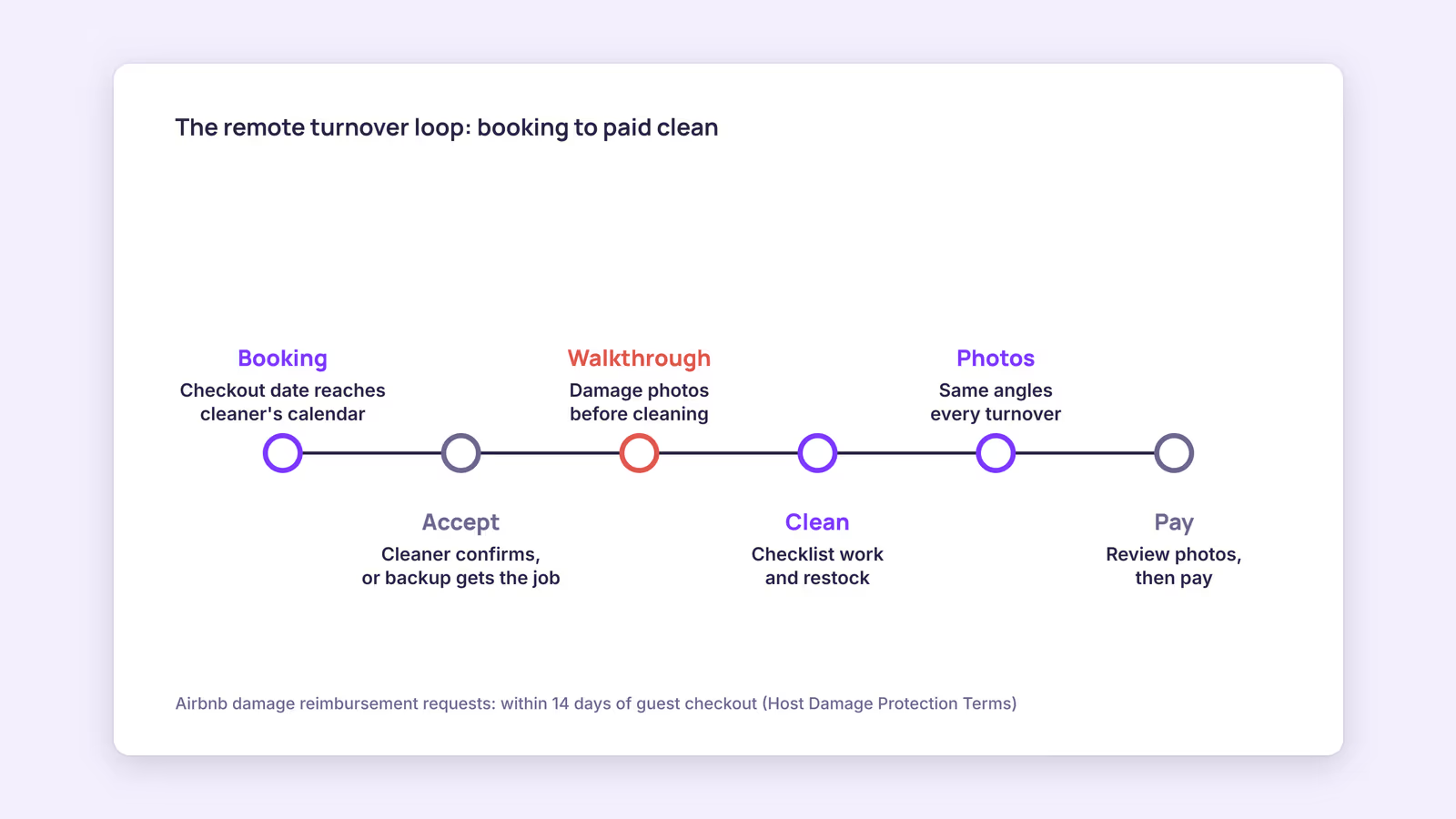
Here's the full loop, from booking to payment:
| Stage | What happens | Who owns it | What goes wrong without it |
|---|---|---|---|
| Booking arrives | Checkout date lands in the calendar the cleaner sees | Calendar sync | Cleaner learns about the turnover late or never |
| Job accepted | Cleaner confirms the date | Cleaner | You assume it's covered when it isn't |
| Arrival walkthrough | Quick look for damage before cleaning starts | Cleaner | Evidence gets cleaned away |
| Clean and restock | Checklist work, supplies checked | Cleaner | Missed tasks, empty toilet paper roll |
| Photo proof | Fixed set of photos uploaded | Cleaner | You can't verify quality or answer a guest complaint |
| Review and pay | You check photos, then pay | You | Paying for work you never confirmed |
How do you automate the cleaning schedule?
Automate the schedule by feeding your booking calendar into the tool your cleaner already uses, so every new reservation or cancellation changes the job list without anyone sending a message.
Most hosts do this in one of two ways:
- A cleaning scheduling app. Dedicated turnover tools import your listing calendars and turn checkouts into jobs. Breezeway, for example, describes automated task scheduling and a centralized schedule for turnovers. Turno is another widely used option; check its current feature list and pricing on its own site before signing up.
- A shared calendar feed. If your cleaner won't use an app, give them a read-only calendar subscription on their phone. It's cruder, but it still beats texting.
Either way, keep one thing in mind: calendar feeds aren't instant. Airbnb says its calendar automatically updates every 3 hours from connected calendars. So a same-day booking or a late cancellation can reach the cleaning app hours after it happens. Our recommendation: for bookings made within 24 hours of arrival, send the cleaner a direct message as well, and don't rely on the feed alone. If a feed seems stuck, paste it into the iCal checker to see whether it's valid and current.
Also set an acceptance rule. If a job isn't confirmed within a set time you choose, say one day, it goes to your backup cleaner. Many scheduling apps can alert you about unconfirmed jobs; if yours can't, make it a calendar reminder.
What should an Airbnb cleaner checklist include for remote hosts?
A remote host's Airbnb cleaner checklist should cover the tasks themselves plus the proof: a short list of required photos taken at the end of every turnover, from the same angles each time.
For the full room-by-room task list, use the vacation rental cleaning checklist. What remote hosts add on top is a photo standard. A workable set:
- The made bed in each bedroom, shot from the doorway
- A wide shot of the kitchen counters and sink
- The inside of the fridge and the microwave
- The bathroom from the door, with towels staged
- Any spot that guests have complained about before
- The thermostat, lock or key box, if your setup has one
Same angles every time matters more than the number of photos. When shots line up, you can compare them in seconds and spot the thing that's off. Breezeway, for instance, advertises mobile checklists with photo proof; a shared photo album works too if your volume is small.
The photos do two jobs. They prompt the cleaner to check their own work, and they give you a dated record if a guest later says the place wasn't clean.
How do you handle damage and supplies from a distance?
Handle damage by making the cleaner's first five minutes a walkthrough, with photos sent to you before any cleaning starts, because Airbnb's damage claim window is short and evidence disappears once the room is cleaned.
Airbnb's Host Damage Protection Terms say you need to request reimbursement within 14 days of the guest's checkout date, and you're expected to have tried to recover the amount from the guest first. AirCover for Hosts also describes coverage for certain specialized cleaning, such as stains or smoke odor. That makes the cleaner's photos your main evidence. Walk through the steps in the Airbnb Resolution Center guide so you know what to send before you need it.
Give the cleaner a simple rule: anything broken, stained, missing or smelling of smoke gets a photo and a message to you right away, before cleaning.
For supplies, agree on a par level for each consumable (for example, two spare rolls per bathroom). When stock drops below it, the cleaner tells you, and you order. A shared list the cleaner ticks off beats trying to remember from a distance.
When this advice does not apply
- You use a full-service property manager. They usually own cleaning, inspections and backups; your job becomes checking their reports.
- You have a local co-host. Much of the photo and damage workflow can move to them, though a written standard still helps.
- Your listing is only on Booking.com or a direct site. The Airbnb damage terms above won't apply; check your own platform's rules and your insurance.
- Very low volume. With a handful of stays a year, a shared calendar and a message thread may be enough without a paid app.
What to do next
- List every manual step in your current turnover and replace the first one with a calendar feed or scheduling app.
- Write a six-photo standard and send it to your cleaner with example shots.
- Add the pre-clean damage walkthrough to their checklist, with the 14-day claim window in mind.
- Agree on how and when your cleaner gets paid, ideally after photo review, and put it in writing.
- Find and brief a backup cleaner before you need one.
FAQ
How do Airbnb cleaners get paid?
Usually the host pays them directly, per turnover or per hour, by bank transfer or through a cleaning app's payment feature. Guests pay the cleaning fee to Airbnb, not to the cleaner. Our recommendation: pay promptly after you've reviewed the photos, and agree on rates for extra-dirty stays in advance.
Do I really need a backup cleaner?
Yes, if you manage from a distance. Illness, car trouble and double-booked cleaners happen, and a missed turnover can mean a guest arriving at an unready home. Brief the backup on your checklist and photo standard ahead of time, and expect to pay more for short-notice jobs.
What's the best Airbnb cleaner app?
There's no single answer. Compare tools on whether they import your calendars, alert you about unconfirmed jobs, support photo checklists and handle cleaner payments. Try the one your cleaner will actually open on their phone.
One calendar for your cleaner: BookBed's two-way iCal sync with Airbnb and Booking.com keeps your OTA and direct bookings in one calendar, so the schedule you share with your cleaner starts from a single source. Start a 14-day free trial
Sources
- Airbnb, "Host Damage Protection Terms" — Verified 2026-09-30
- Airbnb, "AirCover for Hosts" — Verified 2026-09-30
- Airbnb, "Sync your home host calendar to other websites" — Verified 2026-09-30
- Breezeway, "Breezeway home page (task scheduling, smart checklists)" — Verified 2026-09-30