You're thinking about Booking.com hosting, or you've just signed up and the extranet has more settings than you expected. The platform grew up around hotels, so it asks you to think in rate plans, cancellation windows and monthly invoices rather than one listing with one price.
Your first action: before you touch a single setting, write down three things you already know. What a typical stay earns you, how long you can wait for that money, and how many days before arrival you can afford to lose a booking without being out of pocket. Almost every Booking.com setup decision flows from those three numbers.
What does hosting with Booking.com actually cost you?
Booking.com charges a commission that's a percentage of the total booking amount, set in your accommodation agreement, and the rate depends on your country, property type and any visibility programs you join.
Booking.com's commission article spells out what that percentage applies to: the room rate plus fees you charge, such as cleaning or service fees, and cancellation or no-show costs you collect. It's applied after the guest checks out and billed on a monthly invoice. City tax isn't commissionable, but VAT is in most countries. Programs such as Preferred Partner or Visibility Booster add to the base rate.
That means you can't borrow a percentage from a forum post. Open your agreement or your last invoice and use that figure. A simple way to see your real take-home:
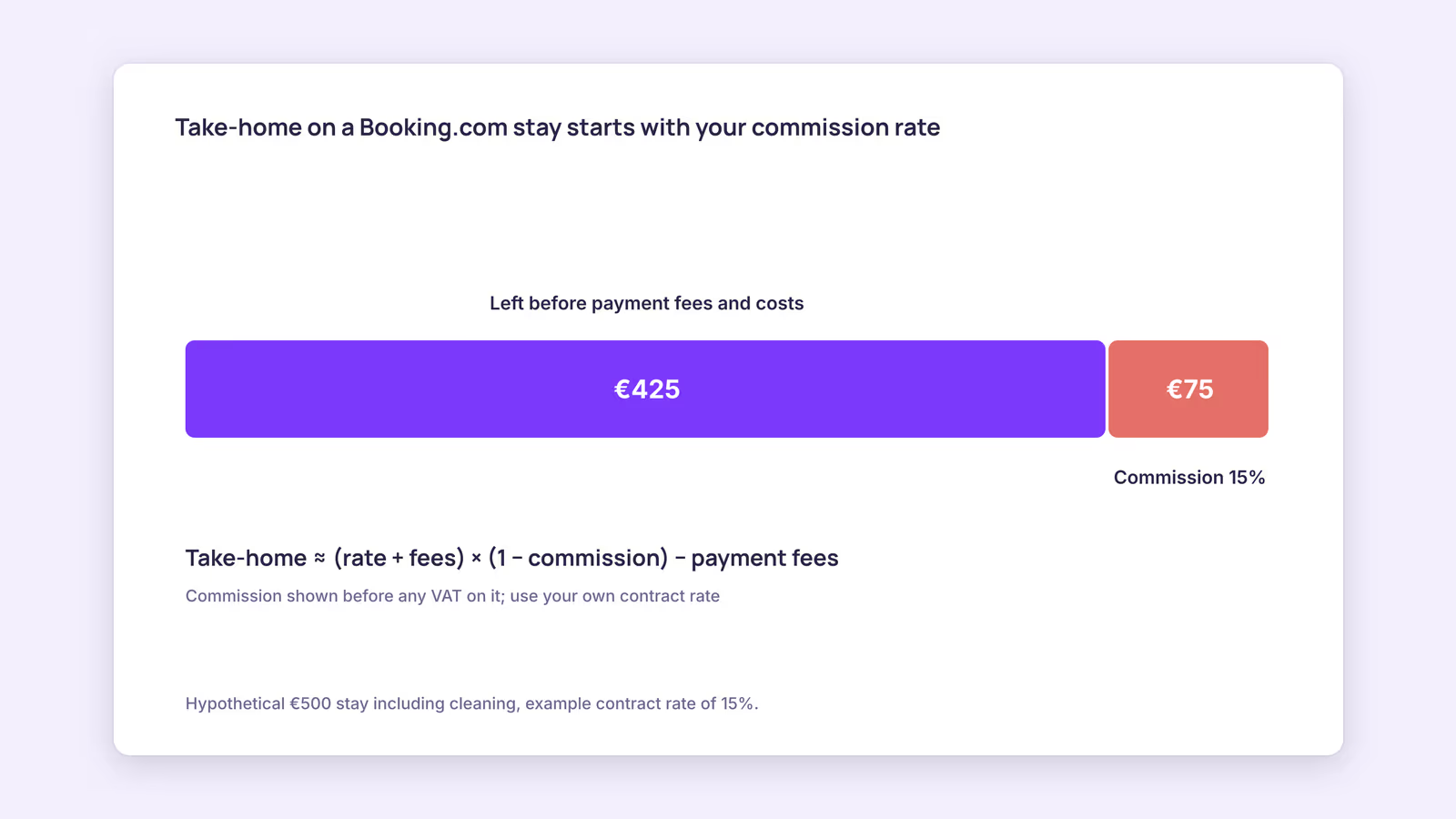
Take-home ≈ (room rate + fees you charge) × (1 − your commission rate) − payment fees
Consider a hypothetical €500 stay including cleaning, with an example contract rate of 15%. Commission would be €75 before any VAT on it, leaving €425 before payment fees and your own costs. Swap in your contract rate and a real stay. For how the commission base and invoice work in detail, see Booking.com commission explained, and to compare channels side by side, the OTA fee comparison lays them out in one table.
How do Booking.com hosts get paid?
With Payments by Booking.com, the platform collects from the guest and pays you out on a monthly, weekly or, in some countries, daily schedule, with commission and payment service fees deducted.
That's how Booking.com's Payments by Booking.com page describes it. The payout rhythm matters more than it looks. If you pay a cleaner after every turnover but receive money monthly, you're financing a month of costs up front. Check which payout frequencies are offered for your country before you pick one, and match it to how you pay your own bills.
Some properties handle guest payment themselves instead. Whichever option your account offers, confirm who charges the guest, when, and what the guest sees at booking before you open your calendar.
Which Booking.com hosting settings should you decide before you go live?
The four settings that cause the most trouble later are cancellation policy, rate plans, calendar sync and your plan for handling an overbooking, so decide each one deliberately before your first booking arrives.
Use this checklist as a pre-launch decision aid:
| Setting | Question to answer | Why it matters |
|---|---|---|
| Cancellation policy | How many days before arrival can you refill a cancelled stay? | Sets your free cancellation window |
| Rate plans | Do you want a flexible and a non-refundable option? | Each plan links to a policy |
| Payout frequency | When do your own costs fall due? | Cash flow between stays |
| Calendar sync | Where else is this unit listed? | Imported calendars aren't real time |
| Overbooking plan | Where would you move a guest tonight? | You carry the relocation cost |
| Review routine | Who asks for and reads reviews? | Scores weight recent stays |
Cancellation and rate plans. Booking.com's cancellation policy guide has you create a policy, choose whether guests get free cancellation and for how long, then link it to rate plans, including flexible and non-refundable options. Our recommendation: set the free cancellation window no shorter than the number of days you'd realistically need to rebook those dates.
Reviews. Booking.com's guest review guide says guests have 90 days to review, scores run from 1 to 10, and the overall score draws on the last three years with recent reviews weighted more heavily since January 2025. This suggests a fix you make today shows up in your score faster than it once did.
For the step-by-step registration itself, see how to list on Booking.com.
How does hosting on Booking.com vs Airbnb work on the same calendar?
Listing on both is common, but Booking.com's own calendar import runs every two hours and Airbnb's every three hours, so a booking on one can take hours to block the other.
Booking.com's calendar sync article says it "automatically imports any connected calendar every two hours," is not real time, and allows a manual refresh. Airbnb's calendar sync article says its calendar updates every three hours from connected calendars. Neither platform lets an outside tool change those schedules.
The gap is where double bookings happen. If one does, Booking.com's overbooking guidance says you must relocate the guest to accommodation of the same or better standard and cover the costs, including transport. Before your first peak weekend:
- Connect each platform's iCal export to the other, or both to one central calendar.
- Make a test block on one side and time how long it takes to appear on the other.
- Hit manual refresh on both after any last-minute booking.
- Keep a short list of nearby places you could move a guest to.
For the full setup, see how to sync Airbnb and Booking.com calendars.
When this advice does not apply
- Hotels and multi-room properties: room types with several identical units, channel connectivity providers and inventory rules work differently from a single-unit listing.
- Custom agreements: if you negotiated a commission or payment arrangement, your contract overrides general help-center descriptions.
- Countries with different payment options: payout frequencies and payment methods vary by country, so check what your account actually offers.
What to do next
- Find your commission rate in your agreement or last invoice, including any program add-ons.
- Run one real stay through the take-home formula.
- Choose a payout frequency that matches when your own costs fall due.
- Set your cancellation window and link it to a flexible and a non-refundable rate plan.
- Connect calendars and time a test block before your busiest dates.
FAQ
What are Booking.com host fees?
The main fee is commission on the total booking amount at the rate in your agreement, plus payment service fees if Booking.com handles payments. Visibility programs add to the commission.
Can Booking.com hosts cancel a reservation?
Host cancellations are a last resort. If you can't honor a booking because of an overbooking, Booking.com expects you to relocate the guest to equal or better accommodation at your cost.
Is hosting on Booking.com free to start?
Commission is charged on bookings after checkout. Check your accommodation agreement for the exact terms that apply to your property before you publish.
Two-way calendar sync: BookBed connects your Airbnb and Booking.com calendars through two-way iCal sync, so a booking on one shows up for the other on each platform's next import. Each platform still fetches on its own schedule. See plans and start a free trial.
Sources
- Booking.com for Partners, "Understanding your commission" — Verified 2026-09-30
- Booking.com for Partners, "Payments by Booking.com" — Verified 2026-09-30
- Booking.com for Partners, "Setting cancellation policies" — Verified 2026-09-30
- Booking.com for Partners, "Updating your availability calendar in the extranet" — Verified 2026-09-30
- Airbnb Help Center, "Sync your home host calendar to other websites" — Verified 2026-09-30