You list the same units on Airbnb and Booking.com, you're updating two calendars by hand, and you've started shopping for a channel manager. Every vendor says "real-time sync" and "all-in-one." That doesn't tell you which one fits your setup.
Start with one action before you open a single pricing page: write down, per unit, every platform you list on and how that calendar is connected today (manual, iCal link, or software connection). That list is your requirements document. Most of the decision follows from it.
What should you check first when choosing a channel manager?
Check how the tool connects to each of your channels, because the connection type decides how quickly a booking crosses over, what data moves besides dates, and who controls the timing.
There are two broad ways a tool can reach Airbnb and Booking.com.
Calendar (iCal) links. Each platform publishes a calendar file and imports other calendars on its own schedule. Airbnb says its calendar "automatically updates every 3 hours" from connected calendars (Airbnb Help Center). Booking.com says it "automatically imports any connected calendar every two hours" and that the sync is not in real time (Booking.com for Partners). A tool that uses iCal can only be as fast as the platform's next import, whatever the tool's own polling speed.
Software connections. Airbnb lets approved property management and channel manager software sync either everything or only pricing and availability (Airbnb Help Center). Booking.com calls these tools connectivity providers; when you connect one in the extranet, you pick which features it manages, such as rates and availability, reservations, content and guest messages (Booking.com for Partners).
| Question | iCal link | Software connection |
|---|---|---|
| What moves between systems | Busy dates only | Depends on the features you enable: rates, availability, reservations, sometimes content and messages |
| Who sets the timing | The platform importing the calendar | Set by the platform's integration, not published as a single number |
| Setup | Paste links per unit, per direction | Connect in the platform, then the provider maps your units |
| Where edits happen | Prices and rules stay on each platform | Some settings move to the software, depending on sync choice |
This suggests the first filter is simple. If a tool connects to Airbnb or Booking.com only by iCal, it can't close the hours-long import gap those platforms publish. That may be fine for your demand; see iCal vs API sync for how to judge it.
How do you compare channel managers without trusting marketing claims?
Ask each vendor the same specific questions about your channels, then check their answers against the platform's own settings during a free trial rather than relying on feature pages.
Use this scorecard. Fill in one column per tool you're considering.
| Question to ask | Why it matters | Answer that should worry you |
|---|---|---|
| For each of my channels, is the connection iCal or a software connection? | Decides speed and what data syncs | "Real-time" with no method named |
| If iCal, what sets the delay on the platform side? | Platform import schedules still apply | A claim that the tool controls when Airbnb fetches |
| Which data syncs: dates, rates, restrictions, reservations, messages? | Tells you what you still edit by hand | "Everything" without a list |
| How are my units mapped, and can I see the mapping? | Crossed units cause phantom blocks | No way to review mappings |
| What happens to existing bookings when I connect or leave? | Switching is when calendars break | No documented migration or exit steps |
| How is it priced as I add units? | Cost scales with portfolio | Price only shown for one unit |
Then run a simple test on any trial. Block a far-future night on one platform, note the time, and check the other platforms without pressing refresh. The slowest result is your real exposure window. The iCal checker helps if a feed won't import at all. The full test is written out in how to avoid double bookings.
Our recommendation: judge tools on the two or three channels you actually use. A long integration list only helps if your channels are on it and connected the way you need.
How should the pricing model affect your choice?
Compare the full yearly cost at your likely unit count, including per-booking fees and payment processing, because two tools with similar monthly prices can differ widely once commissions apply.
Pricing models vary. Many tools charge by unit count. Some also add a booking fee on some plans: Smoobu's Professional Flex plan lists a 0.9% booking fee, while its other plans don't charge one (Smoobu pricing).
Use this formula:
Yearly cost = (monthly subscription × 12) + (booking fee % × booking value through the tool) + payment processing on direct bookings
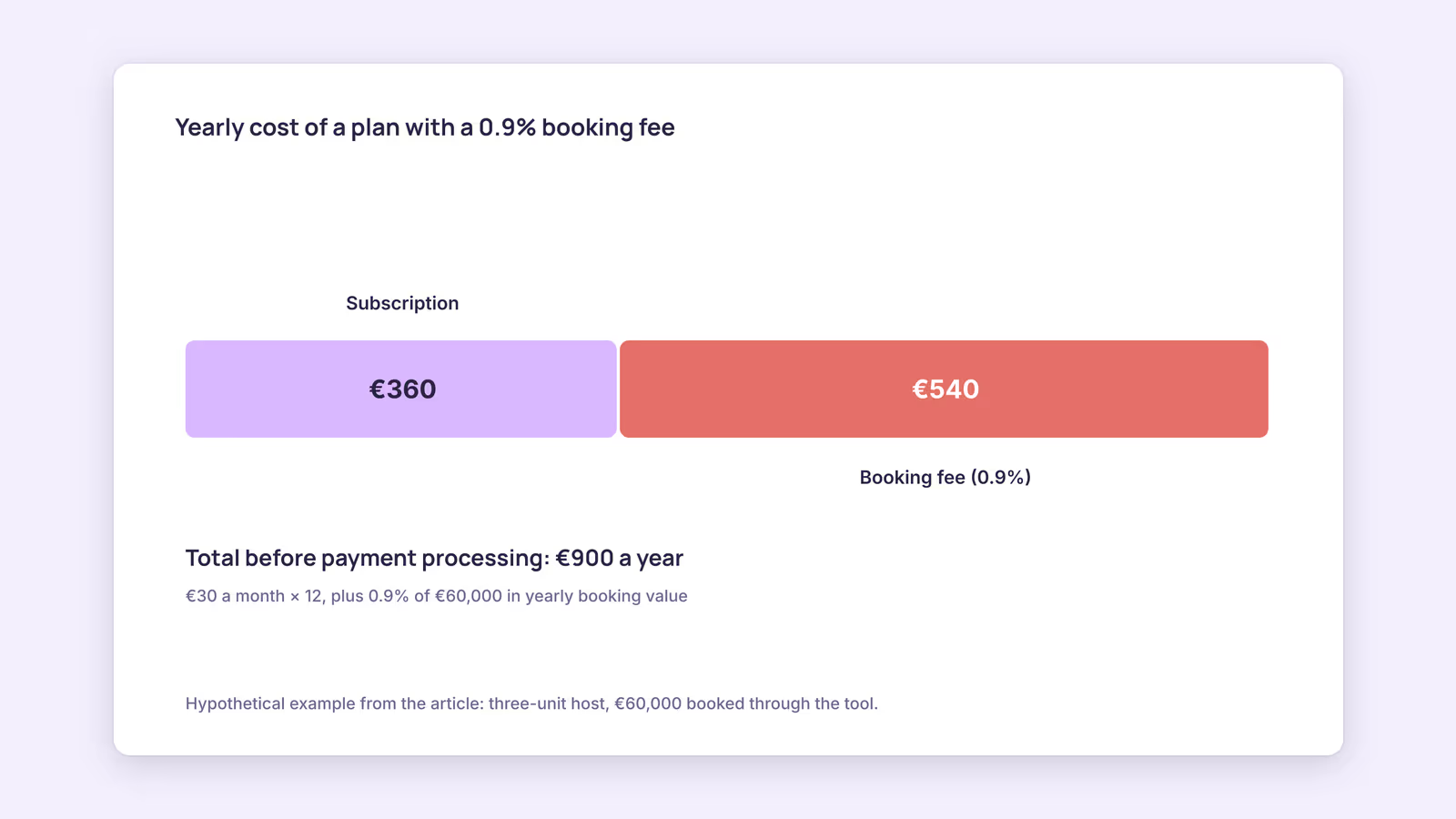
Worked example, using a hypothetical three-unit host with €60,000 of yearly booking value through the tool:
| Cost line | Inputs | Yearly cost |
|---|---|---|
| Subscription | Hypothetical €30 a month × 12 | €360 |
| Booking fee | 0.9% × €60,000 | €540 |
| Total before payment processing | €360 + €540 | €900 |
In this example the booking fee costs more than the subscription. Run the same numbers at the unit count you expect in two years, not just today. For side-by-side pricing of specific tools, use the comparison hub.
Do you need a channel manager or a full PMS?
You need a full property management system only if your daily pain goes beyond calendars and rates, such as team scheduling, owner statements, or accounting, rather than simply because you've passed a certain unit count.
A channel manager keeps availability and bookings consistent across platforms. A PMS usually adds guest messaging, cleaning tasks, owner reporting and accounting. Many products now sit somewhere in between, so compare features, not labels.
A quick decision path:
- Is your main problem calendars getting out of step? Start with a channel manager.
- Do you also answer the same guest questions every day? Look for automated messaging in the same tool.
- Do you coordinate cleaners, report to owners or reconcile payouts for others? Evaluate a PMS.
- Do you want commission-free direct bookings? Check whether the tool includes a booking widget or site, so those stays land in the same calendar.
For a deeper breakdown, read channel manager vs PMS.
When this advice does not apply
- Hotel-style inventory: if you sell several identical rooms as one Booking.com room type, availability behaves differently from one-listing-per-unit setups, and you likely need a software connection built for that.
- Channels beyond Airbnb and Booking.com: Vrbo, Expedia and regional sites each have their own connection options and schedules. Check each platform's help pages.
- Large portfolios: past a few dozen units, integrations with accounting, locks and pricing tools usually matter more than calendar speed, and a live demo with your data beats any checklist.
What to do next
- Write your per-unit channel list and note how each calendar connects today.
- Shortlist two or three tools and send each vendor the scorecard questions.
- Run the far-future block test during each free trial.
- Calculate yearly cost at today's unit count and at your two-year target.
- Decide whether you need channel management only or a PMS, using the decision path above.
FAQ
Is a channel manager the same as iCal sync?
No. iCal sync is one connection method, which some channel managers use. Others use software connections that the platforms approve. Ask which method each tool uses for each channel.
Can a channel manager make Airbnb import my calendar faster?
Not over iCal. Airbnb and Booking.com fetch imported calendars on their own schedules. Only a manual refresh on that platform, or a different connection type, changes that.
Will I lose bookings when switching channel managers?
On Booking.com, you stay connected to the old connectivity provider until the switch to the new one is complete, according to its connectivity provider guide. Airbnb asks you to disconnect listings from the old software and connect the new one right away. Still, check rates and availability on each platform right after switching.
About BookBed: BookBed gives each unit one calendar with two-way iCal sync for Airbnb and Booking.com, so every import and export link sits in one place you can audit. It uses iCal rather than direct platform connections, so Airbnb and Booking.com still import on their own schedules. See BookBed pricing
Sources
- Airbnb Help Center, "Sync your home host calendar to other websites" — Verified 2026-09-30
- Airbnb Help Center, "What are my choices to sync listings through software?" — Verified 2026-09-30
- Booking.com for Partners, "Updating your availability calendar in the extranet" — Verified 2026-09-30
- Booking.com for Partners, "Setting up and working with a connectivity provider" — Verified 2026-09-30
- Smoobu, "Pricing" — Verified 2026-09-30