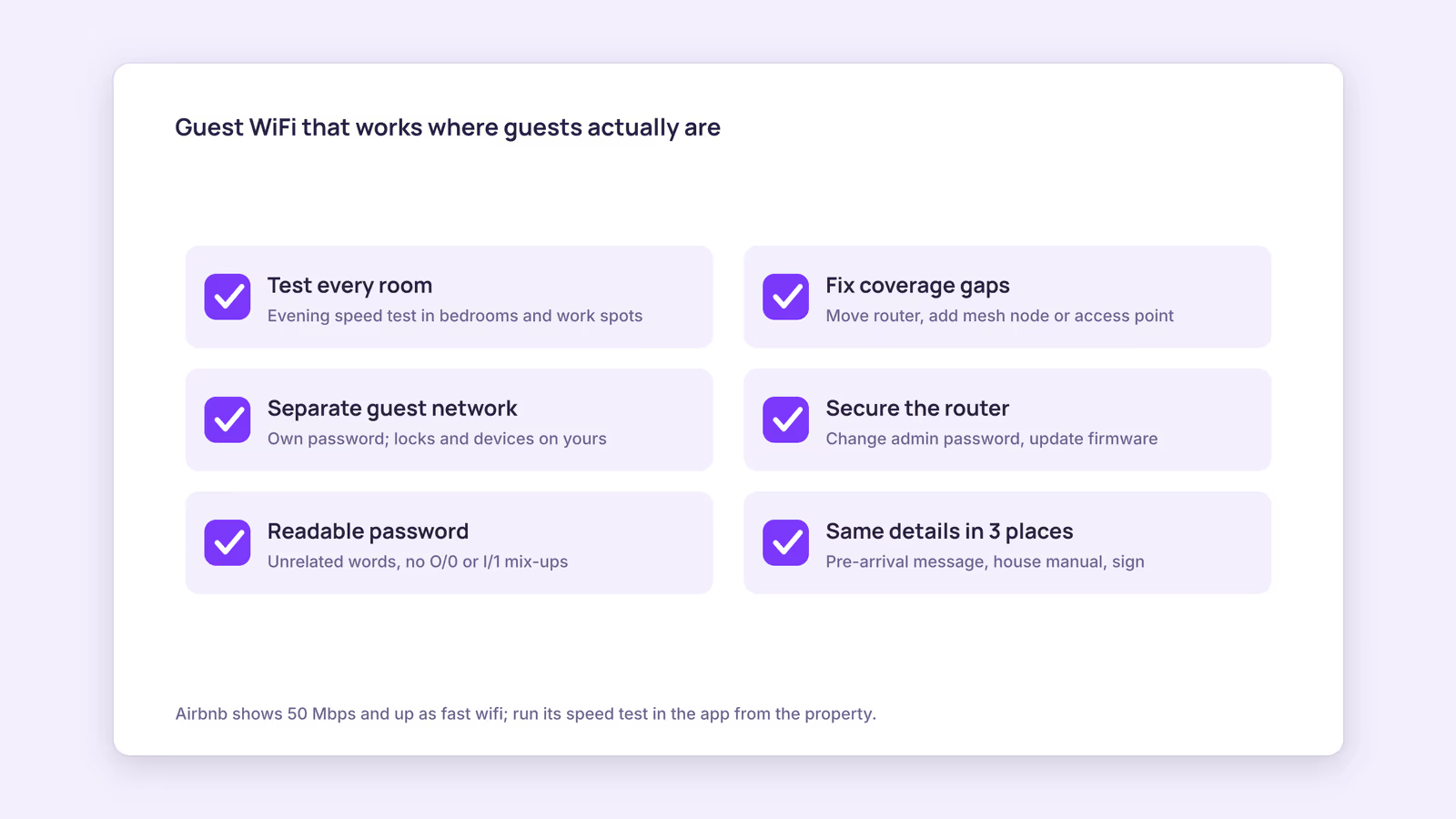
Setting up WiFi for Airbnb guests comes down to four jobs: a connection that reaches every room guests use, a separate network for them, login details they can type on the first try, and a listing that tells the truth about speed. If you only do one thing today, walk the property with your phone and test the connection in every bedroom and at every place someone might sit with a laptop.
WiFi problems are unusual because guests notice them immediately and can't work around them. A slow shower is an annoyance; a dead connection can stop someone from working. The checklist below gets you from "it works in the kitchen" to "it works where guests actually are."
How fast should WiFi for Airbnb guests be?
Fast enough to cover everyone streaming or on video calls at once, measured in the rooms they use, not next to the router. Airbnb's own scale treats 50 Mbps and up as its top tier.
According to Airbnb's wifi speed test help page, results land in bands: 1 to 6 Mbps is "basic," 7 to 24 is "solid," 25 to 49 is "snappy," and 50 or more shows as fast wifi on your listing. Airbnb's guest-facing explanation says the top band supports 4K streaming and several video calls at once, and warns guests the number is "collected at one point in time."
Our recommendation: don't buy a plan by its advertised headline. Pick the plan, then check what actually arrives in the far bedroom in the evening, when everyone at the property is online. If your area only offers slow service, say so plainly in the listing rather than hoping nobody works remotely.
Run the Airbnb wifi speed test the right way
Airbnb's test only runs in the Android or iOS app, from the property, on the network named in your listing details. Airbnb also makes you responsible for the result being "accurate, available throughout the listing, and representative" of a real stay (source). So run it from an average spot, not from beside the router. A number that only holds in the hallway sets up a disappointed guest.
What wifi router for Airbnb setups actually works?
Whatever gives a strong signal in every guest room. In a small apartment the provider's router is often enough; in multi-floor homes or thick-walled buildings, a mesh system or wired access points usually fix dead zones.
Hardware choice matters less than placement and coverage. Put the main unit in the open, not in a cupboard or behind the TV. For bigger places, add a mesh node or a wired access point per floor or wing. Then retest room by room. Don't buy anything until you've confirmed the weak spot is WiFi range and not the incoming line itself: if a wired laptop next to the modem is also slow, a new router won't help.
Use this diagnostic table when a guest reports slow or broken WiFi, or when your own walk-through fails.
| Symptom | Likely cause | First check | Fix |
|---|---|---|---|
| Slow everywhere, even beside the router | Internet plan or provider line | Wired speed test at the modem | Call the provider or upgrade the plan |
| Fast near router, weak in far rooms | Coverage gap | Test in each room | Move router, add mesh node or access point |
| Guests can't connect at all | Wrong password or network name shared | Compare the sign and message to router settings | Correct the text everywhere it appears |
| Works, then drops every few hours | Overheating or outdated router | Router location and firmware version | Ventilate, update firmware, replace if old |
| Nothing works after a power cut | Modem or router didn't restart cleanly | Status lights on both devices | Power-cycle modem first, then router |
Keep a printed copy of this table, or a short version, where a cleaner or co-host can follow it. A two-minute power cycle solves a lot of "airbnb wifi not working" messages before they turn into refund requests.
How do you keep guest WiFi secure?
Give guests their own encrypted network, keep your admin password private, and keep the router updated. That protects your locks, cameras, and router settings from guests, and guests from each other's leftovers.
Airbnb's page on offering internet access suggests an encrypted guest network (it gives WPA2 as an example), sharing its password only after a reservation is confirmed, storing the router and modem somewhere guests can't reach, using strong router passwords, and checking for software updates. It also asks hosts to tell guests the network is for legal use only.
Our recommendation goes a step further: change the router's factory-default administrator password, and use the newest encryption option your router offers.
In practice that means:
- Put smart locks, thermostats, and any disclosed devices on your own network with its own password.
- Create a guest network with a different password for guests.
- Change the router's admin login from the factory default and don't write it on the sign.
- Turn on automatic firmware updates, or put a check on your seasonal maintenance list.
- Lock the router and modem away, but leave the power switch reachable for your cleaner.
Airbnb wifi password ideas that don't cause support messages
Pick something readable and hard to guess: three or four unrelated words, with no easily confused characters like O and 0 or l and 1. Airbnb's help page reminds hosts to include capitalization, spaces, and special characters exactly when sharing details (source), so the fewer of those tricks you use, the fewer typos you'll field. Our recommendation: change the guest password when a long-term guest leaves or if it ends up posted somewhere public.
Where should the WiFi details go?
In three places: the pre-arrival message, your house manual, and a sign inside the property. Each catches guests the others miss, and all three must match your router exactly.
- Pre-arrival message: send the network name and password with check-in instructions so guests can connect the moment they arrive. See our guide to automating guest messages for timing.
- House manual: add a short "WiFi not working?" section with the power-cycle steps. Our house manual guide covers structure.
- Airbnb wifi sign: a framed card on the counter or near the TV with the network name, password, and optionally a QR code. Most modern phone cameras can join a network from a WiFi QR code, which avoids typos entirely.
Whenever you change the password, update all three the same day. Mismatched details are the easiest failure to prevent.
When this advice does not apply
Some buildings give you no control over the network, such as apartments with building-wide internet or rural cabins on satellite or mobile data. There, focus on honest listing details and a clear note about limits instead of speed claims. If the router belongs to a landlord or building manager, get permission before changing settings. Rules on network responsibility and devices differ by country, so check local requirements if you're unsure.
What to do next
- Walk the property and run a speed test in every bedroom and work spot this week.
- Use the diagnostic table to fix the weakest room before touching your listing.
- Set up a separate guest network, change the admin password, and turn on firmware updates.
- Run the Airbnb wifi speed test from an average spot and add the result to your listing.
- Update your message, house manual, and sign with identical details, then check them against your amenities checklist.
FAQ
Does Airbnb require wifi?
Airbnb's help pages treat WiFi as an amenity you choose to list, not a requirement. If you do list it, Airbnb expects the speed shown to be accurate and representative across the property.
Why is my Airbnb wifi speed test not working?
Airbnb's test needs the Android or iOS app, your presence at the property, and a connection to the network named in your listing details. If any of those differ, the test won't run as expected.
Can I see what guests browse on my WiFi?
Some routers log device activity, but the safer default is not to look. A separate guest network keeps your devices and theirs apart, and Airbnb's guidance focuses on encryption and restricting access to your hardware.
BookBed Pro includes automated guest messaging, so pre-arrival details like your WiFi name and password can go out before check-in without you typing them each time. See BookBed Pro plans
Sources
- Airbnb, "Testing your wifi speed" — Verified 2026-09-30
- Airbnb, "Check the wifi speed for a place" — Verified 2026-09-30
- Airbnb, "Offering internet access to guests" — Verified 2026-09-30